
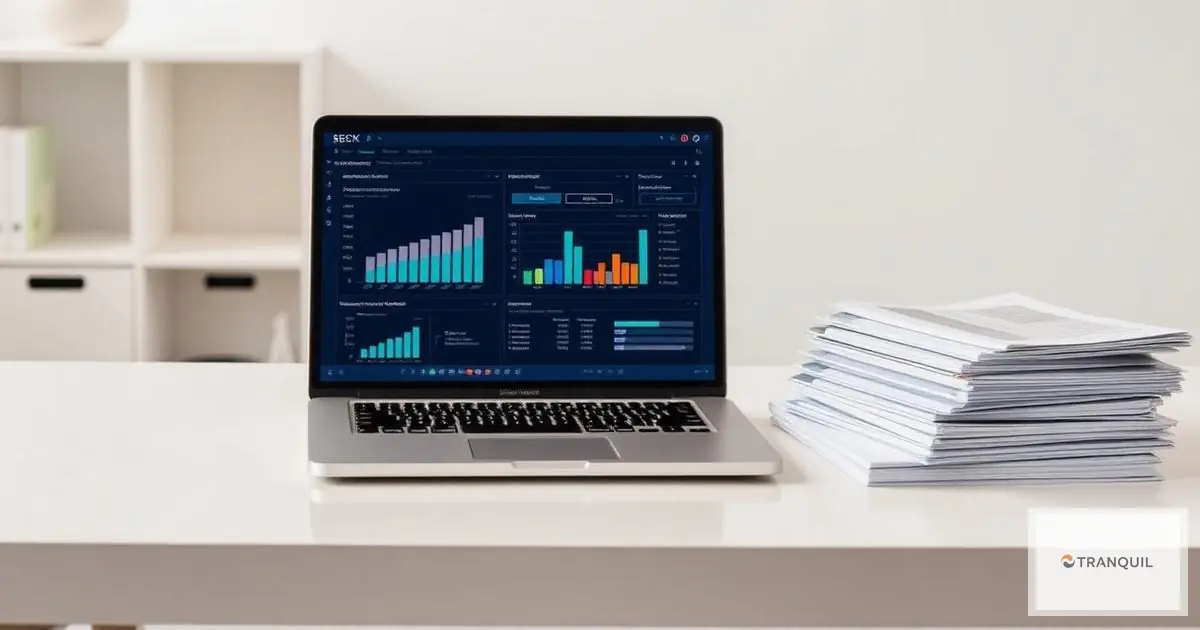

What ERP Accounting Automation Actually Means
In a typical mid-sized Saudi company, month-end close starts on the first working day of the new month and drags into the third week. Someone downloads the bank statement into Excel and ticks it off line by line. Purchasing emails supplier invoices to finance. Sales issues invoices from a separate tool. At the end, the team spends days stitching numbers together and chasing differences. Management gets the report when it is already history, and errors surface after the VAT return has gone in.
ERP accounting automation flips that sequence. Journal entries are created at the moment a business event happens, from the documents that describe it. When a purchase order is approved, goods are received and the supplier invoice arrives, the system builds the entry from those three documents. When a sales invoice is issued, VAT is calculated, revenue is posted and receivables are updated in the same step. The accountant's job shifts from typing to reviewing exceptions and explaining the numbers.
This guide walks through the processes most worth automating, what each looks like inside an ERP, worked examples (hypothetical, clearly labelled), a realistic rollout plan, and the mistakes that most often derail these projects.
Why Saudi Finance Teams Can No Longer Run on Spreadsheets
The regulatory environment in the Kingdom has changed enough in recent years that manual processes have become a genuine risk, not just an inefficiency:
- E-invoicing: Phase 1 (generation) started on 4 December 2021. Phase 2 (integration) has rolled out in waves since 1 January 2023. Wave 24 covers taxpayers with turnover above SAR 375,000, and Wave 25 extends to those above SAR 187,500 from 1 February 2027. Most SMEs are either already integrated with Fatoorah or will be soon.
- VAT at 15%: returns are monthly if annual taxable turnover exceeds SAR 40 million and quarterly otherwise, due by the end of the following month. Late filing penalties run from 5% to 25% of the tax due, and late payment adds 5% of unpaid VAT for each month of delay.
- Zakat and income tax: the new Zakat Executive Regulations apply to financial years starting on or after 1 January 2024. Corporate income tax returns are due within 120 days of year-end.
- Withholding tax: payments to non-residents attract different rates by type, such as 5% on dividends and interest, 15% on royalties, and 5% to 20% on services depending on the service.
- Reporting standards: Saudi entities report under IFRS as endorsed by SOCPA, and IFRS 18, which replaces IAS 1 for presentation, applies to periods beginning on or after 1 January 2027.
Each of these needs data that is correct, consistent and available on demand. When that data lives in five spreadsheets and two standalone tools, every filing becomes a project.
Manual vs. Automated: Where the Work Changes
The table below compares how the work is done, not fixed outcomes, since results depend heavily on company size and data quality:
| Process | Manual approach | Automated in ERP |
|---|---|---|
| Sales invoices | Issued in one tool, journal keyed separately | Entry created when the invoice is issued |
| Supplier invoices | Paper matching against POs | Automatic three-way match with receipts |
| Bank reconciliation | Monthly marathon | Daily, with suggested matches |
| VAT return data | Compiled from several files | Report drawn from posted transactions |
| Depreciation and accruals | Spreadsheets updated by hand | Recurring entries posted on schedule |
| Management reporting | Days after close | Available during the month |
Seven Accounting Processes to Automate First
1. Bank reconciliation
Reconciliation eats more finance hours than almost anything else, and it is highly rule-based. Instead of comparing the statement to the ledger by eye, you import the bank's electronic statement file and apply matching rules on amount, date, reference and counterparty. Matched lines close automatically; the rest land in an exceptions list with suggestions.
Hypothetical example: a distributor with 600 bank lines a month sets rules that match 520 automatically. The accountant reviews the remaining 80, mostly customer transfers that cover several invoices and bank charges not yet booked. A two-day month-end job becomes a short daily review.
2. Receivables and collections
Automation starts with credit control. Each customer gets a credit limit and payment terms, and the system blocks or flags a new sales order that would breach them. Aged receivables in 30, 60 and 90-plus day buckets are always current, and reminders go out before and after due dates.
The biggest time saver is cash application. When a customer sends one transfer covering five invoices, the system proposes the open invoices that add up to the amount, rather than leaving someone to hunt for them.
3. Payables and three-way matching
Three-way matching compares the purchase order, the goods receipt and the supplier invoice before payment is approved. If you ordered 100 cartons at SAR 45, received 96, and the invoice bills 100, the invoice is held until the difference is resolved. That single control stops payment for goods that never arrived.
Layer approval routes on top by amount and cost center: invoices under SAR 10,000 approved by the department head, larger ones by the finance manager. Every approval is logged with user and timestamp.
4. Integrated e-invoicing
Under Phase 2, standard tax invoices (B2B and B2G) are cleared by ZATCA in real time before being shared with the buyer, while simplified (B2C) invoices are reported within 24 hours of issue. Credit and debit notes follow the path of the invoice type they relate to.
When e-invoicing sits inside the ERP, invoice data flows straight from the sales order: customer, VAT number, items, prices and tax. There is no rekeying into another tool and no risk that the invoice sent to ZATCA differs from the entry in your books. Our e-invoicing guide for Saudi Arabia covers the requirements in more detail.
5. VAT calculation and return preparation
Every item and service is mapped to a tax category: standard-rated at 15%, zero-rated or exempt. The category is applied automatically on sales and purchase documents, and output and input VAT accumulate in separate accounts ready for the return.
Remember that VAT becomes due on the earliest of supply, invoice issue or receipt of payment. An advance payment received before delivery is taxable when received. A well-configured system handles this through an advance invoice that is then offset on the final invoice, rather than relying on someone to remember each case.
6. Recurring entries and month-end close
Some entries repeat every month with the same logic: depreciation, amortisation of prepaid rent and insurance, end-of-service provisions, and accruals for services received but not yet invoiced. Manually, each is a spreadsheet to update and post. Automated, the rule is defined once and the entry posts on schedule.
Hypothetical example: a company prepays SAR 240,000 of warehouse rent for the year. It is booked as a prepayment and SAR 20,000 is released to rent expense each month against the warehouse cost center, with no manual step.
The close itself can become a task list in the system: reconcile banks, review receivables and payables, post depreciation, agree inventory to the general ledger, clear suspense accounts, then lock the period so nothing can be posted to it without authority.
7. Fixed assets and depreciation
When an asset is received against a purchase order, its record is created and linked to a category that sets the depreciation method and useful life. Depreciation then runs monthly and is allocated to cost centers. On sale or disposal, the system clears cost and accumulated depreciation and calculates the gain or loss. For the methods themselves, see our guide to asset depreciation.
Worked Example: How the Month Changes
Take a hypothetical trading company with two branches, about 1,500 sales invoices and 300 purchase invoices a month, and a finance team of five.
| Task | Before automation (team days) | After automation (team days) |
|---|---|---|
| Keying sales invoices and entries | 6 | 0.5 (review) |
| Matching supplier invoices | 4 | 1 |
| Bank reconciliations | 3 | 1 |
| Recurring entries | 2 | 0.25 |
| VAT return preparation | 2 | 0.5 |
| Total | 17 | 3.25 |
These are illustrative figures, not promised results. The logic holds, though: the time released does not have to mean a smaller team. It usually goes into margin analysis, collections follow-up and cash forecasting, the work that always got pushed aside because data entry filled the month.
Management Reporting After Automation
The real payoff is timing. When every invoice, receipt and payment is recorded as it happens, the finance manager can see mid-month what used to appear two weeks after month-end. Reports that become continuously available include:
- P&L by branch or project, provided each entry carries its cost center from the source document rather than being allocated later by estimate.
- Margin by item or customer, because cost of goods sold is posted with the sales invoice from actual inventory cost.
- Cash forecast: receivables by due date, payables by payment date, plus fixed payroll and rent, in one view for the coming weeks. Our article on ERP cash flow management in Saudi Arabia goes deeper.
- Budget vs. actual by department during the month, so overspends are caught before they happen, not after.
A special case: multi-branch companies
Companies with branches in Riyadh, Jeddah and Dammam move stock between locations and allocate head-office costs constantly. Done manually, each branch records its side separately and differences appear at consolidation. In a single ERP, an inter-branch stock transfer creates both sides at once, and central costs are allocated by a fixed driver such as sales, floor area or headcount. Branch profitability can be read directly, without reconciliation sessions.
What to Fix Before You Automate
Automation amplifies whatever is already there. Clean data makes processes faster; messy data makes errors faster. Before go-live, review:
- Chart of accounts: is it built around the reports you actually use? Three thousand accounts, half of them dormant, confuse posting rules. Twenty accounts give you no analysis.
- Cost centers: decide which branches, departments and projects you want profitability for, and make every entry carry one from the start.
- Master data: customers and suppliers with correct VAT numbers and addresses, items with correct tax categories. A wrong customer VAT number means a rejected invoice.
- Opening balances: never migrate unreconciled balances. Reconcile banks, receivables and inventory in the old system first.
- Roles and segregation of duties: whoever creates a supplier should not approve payments to it, and whoever posts a manual journal should not approve it.
A Realistic 90-Day Rollout
Timelines vary, but this sequence fits most mid-sized companies:
- Weeks 1-2: map current order-to-cash and procure-to-pay processes, and identify double entry and bottlenecks.
- Weeks 3-4: design the chart of accounts, cost centers and tax categories, and configure e-invoicing.
- Weeks 5-7: migrate master data and reconciled opening balances, and set up bank statement imports.
- Weeks 8-10: run in parallel for at least one month, processing the same transactions in both systems and comparing results.
- Weeks 11-13: go live, run the first month-end close on the new system, and train the team to review exceptions rather than enter data.
The parallel run is the step most teams cut to save time, and they usually pay for it on the first VAT return. One month of side-by-side comparison exposes configuration errors before they become filed numbers.
Mistakes That Sink Accounting Automation Projects
- Automating a bad process as-is: if supplier invoices need seven signatures, most of them pointless, automation gives you seven electronic approvals instead of seven paper ones. Simplify first.
- Keeping shadow spreadsheets: teams that keep Excel "just in case" end up with two versions of the truth. Set a date after which the ERP is the only source.
- Open manual journals: if every user can post manual journals to any account, you lose much of the control value of automation.
- Training only finance: automated accounting depends on the warehouse recording receipts on time and sales using the right item codes. Train the people who create documents, not just the accountants.
- Never tuning the rules: matching and classification rules need adjustment in the first months. Review recurring exceptions monthly.
For a wider look at the problems finance teams face, see our article on common accounting challenges.
How to Measure Success
Set baselines before go-live and measure again at three and six months:
- Days to close, from the last day of the month to approved statements.
- Percentage of bank lines matched automatically.
- Number of manual journals per month, which should fall.
- Days sales outstanding and receivables ageing.
- Invoices rejected or corrected after issue.
- Time needed to prepare VAT return data.
How Tranquil Supports Accounting Automation
Tranquil is a cloud ERP that combines accounting and finance with ZATCA-compliant e-invoicing for Phase 1 and Phase 2, including real-time integration with ZATCA and automatic validation. It sits alongside inventory, sales, purchasing, HR, payroll, projects and asset management, where depreciation is calculated automatically. Because these modules share one database, entries come straight from the source documents. The team can also customize screens and reports, configure multi-level approvals and build API integrations where needed.
Frequently Asked Questions
Does accounting automation replace accountants?
No. It removes repetitive entry, but someone still has to review exceptions, tune the rules, analyse results and handle unusual transactions. The nature of the work changes; the need for it does not.
How long does implementation take?
For a mid-sized company, typically three to four months including design, migration and a month of parallel running. It takes longer when legacy data is poorly organised.
Can the VAT return be fully automated?
The data can be compiled automatically from posted transactions, but reviewing it before filing remains the company's responsibility. Check special cases such as zero-rated and exempt supplies and advance payments every period.
Which process should we automate first?
In most companies, sales invoicing tied to e-invoicing, then bank reconciliation, because they are the most frequent and the costliest to get wrong. Three-way matching on purchases usually comes next.
What happens to records from the old system?
Keep them complete and accessible. VAT records must generally be kept for at least six years, longer for some capital assets and real estate, so archive the old data in a usable format before switching anything off.
Is Tranquil suitable for small businesses?
Yes. Small firms can use per-user pricing, while larger organisations can choose a flat per-module fee with unlimited users. Contact the Tranquil team for a quote within 24 hours.