
Cloud Accounting Software for Saudi Arabia
Run every aspect of your company's financials with an enterprise-grade accounting system that manages multiple locations, currencies, and business lines. From chart of accounts and VAT to bank reconciliation and asset management. Full control of your financial cycle from one platform.
Schedule A Demo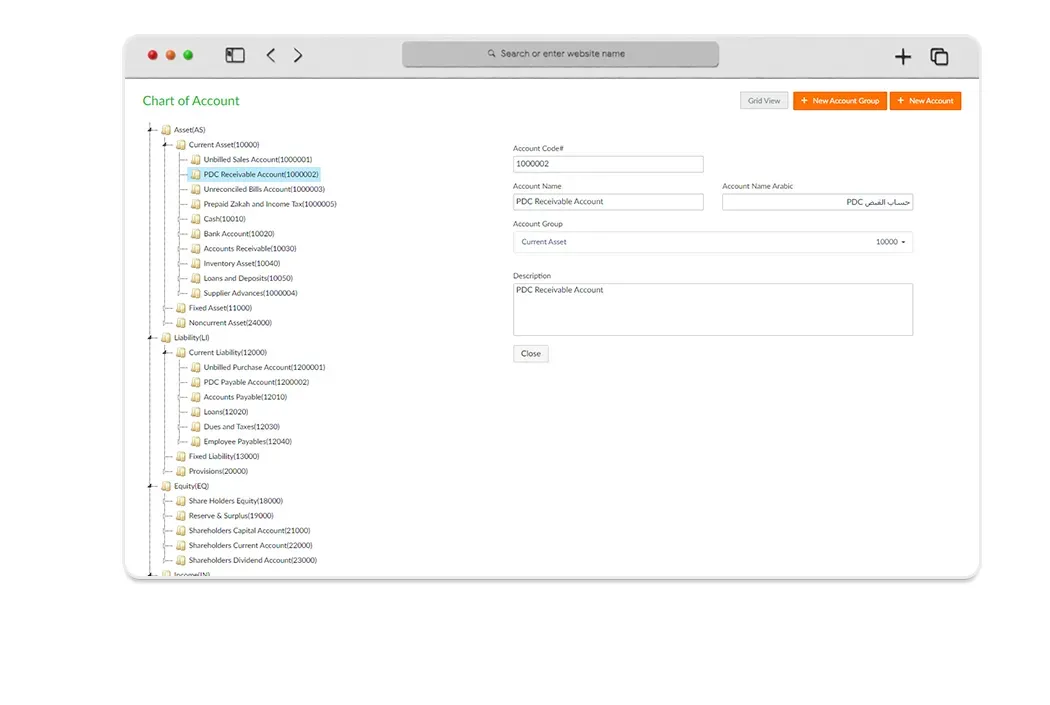
Multi-LevelAccount
Having the right chart of accounts makes a huge difference for your organization. It helps you classify your transactions correctly. Tranquil Financial Management Software assigns your organization a default chart of accounts. We can even import a chart from your previous accounting system.
- Multi-level chart of accounts with unlimited depth
- Default chart of accounts assigned automatically
- Import chart from previous accounting system
- Classify transactions correctly and generate meaningful reports
- Support for multiple currencies and exchange rates
Post/UnpostJournal
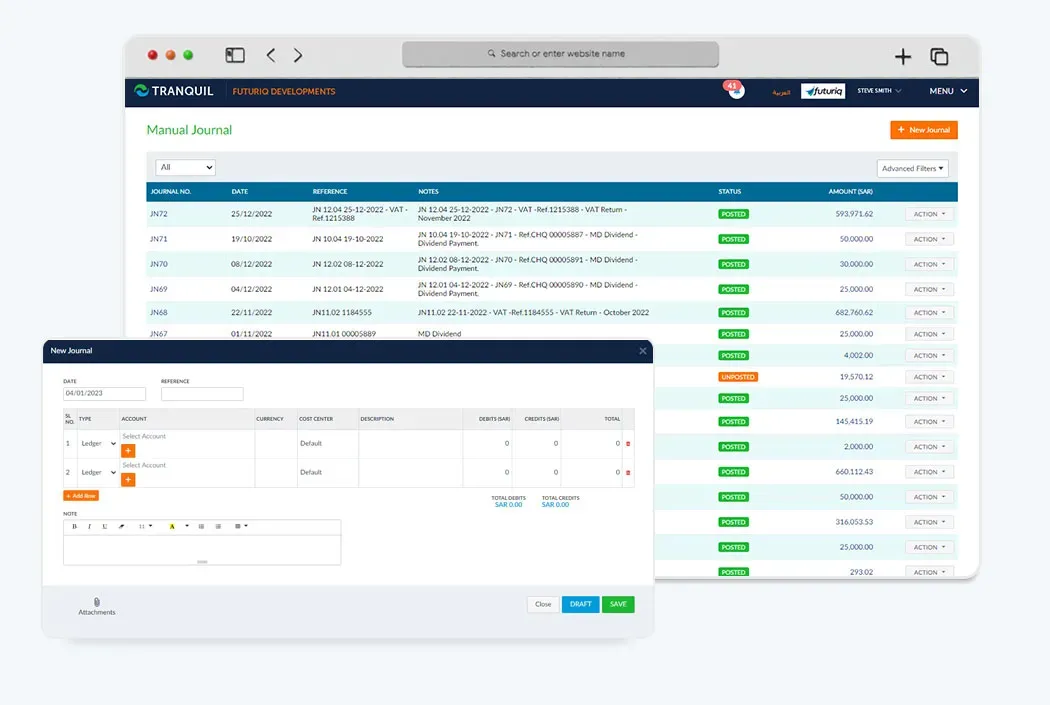
Using Tranquil accounting software post/Unpost allows users to edit the journals before it affects the finances. This allows the accounts managers to make decisions on what expenses are to be paid and when.
- Edit journals before they affect financials
- Managers can review and approve before posting
- Full audit trail of all journal changes
- Batch posting and unposting capabilities
- Role-based approval workflows
Tax(VAT)
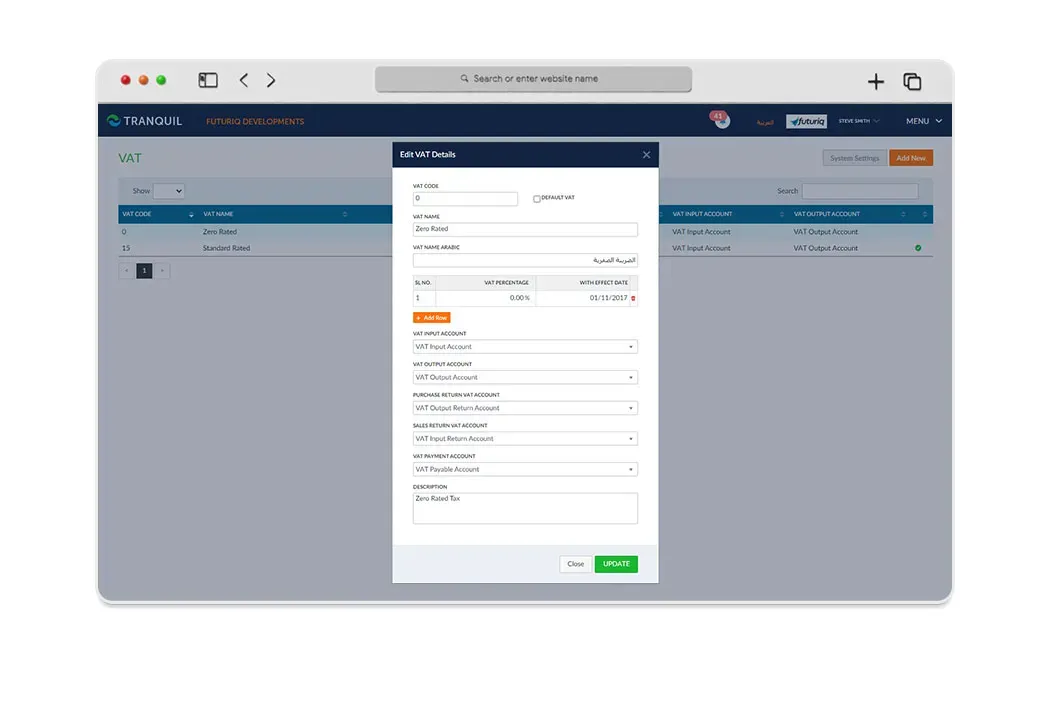
Our VAT accounting Software automatically generates VAT return in one click and keeps track of how much tax is received or owed. With full support for Tax calculation, now you only have to apply the tax rate and Tranquil will calculate the tax breakdown.
- One-click VAT return generation
- Automatic tax calculation and breakdown
- Track tax received and tax owed in real time
- Support for multiple tax rates and categories
- ZATCA e-invoicing compliance
CostCenter
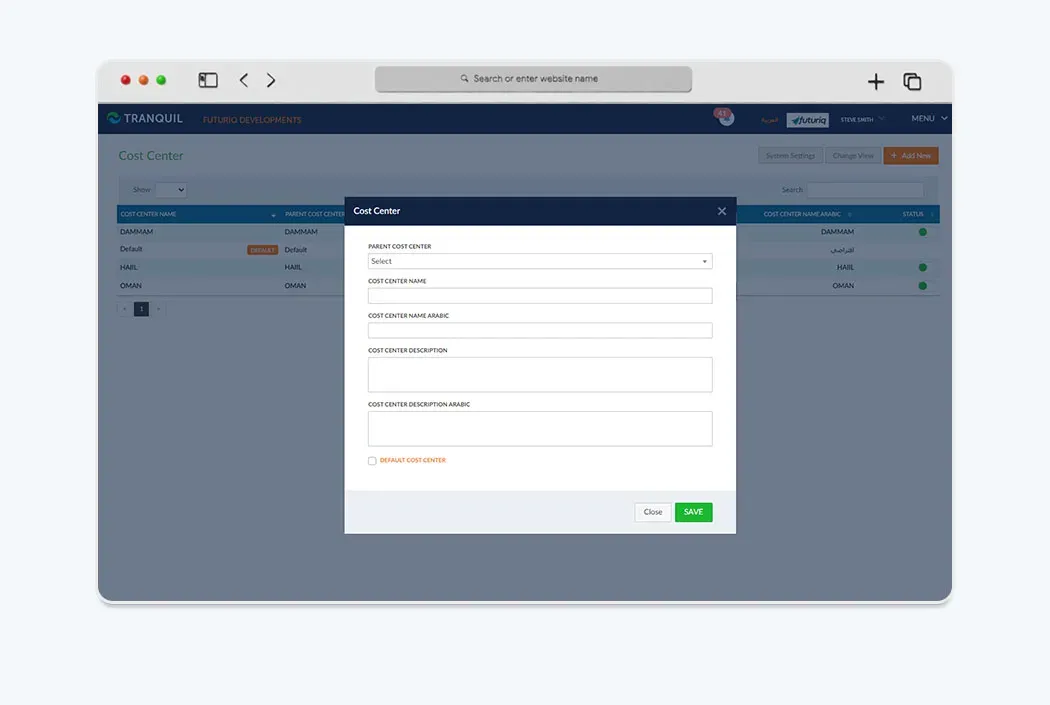
The cost center refers to an organizational unit to which costs or expenses can be allocated during transactions. For example, you can use the cost center to see the effectiveness of each project.
- Allocate costs to specific organizational units
- Track profitability by project, department, or branch
- Multi-dimensional cost analysis
- Real-time cost center reporting
- Budget vs actual comparison per cost center
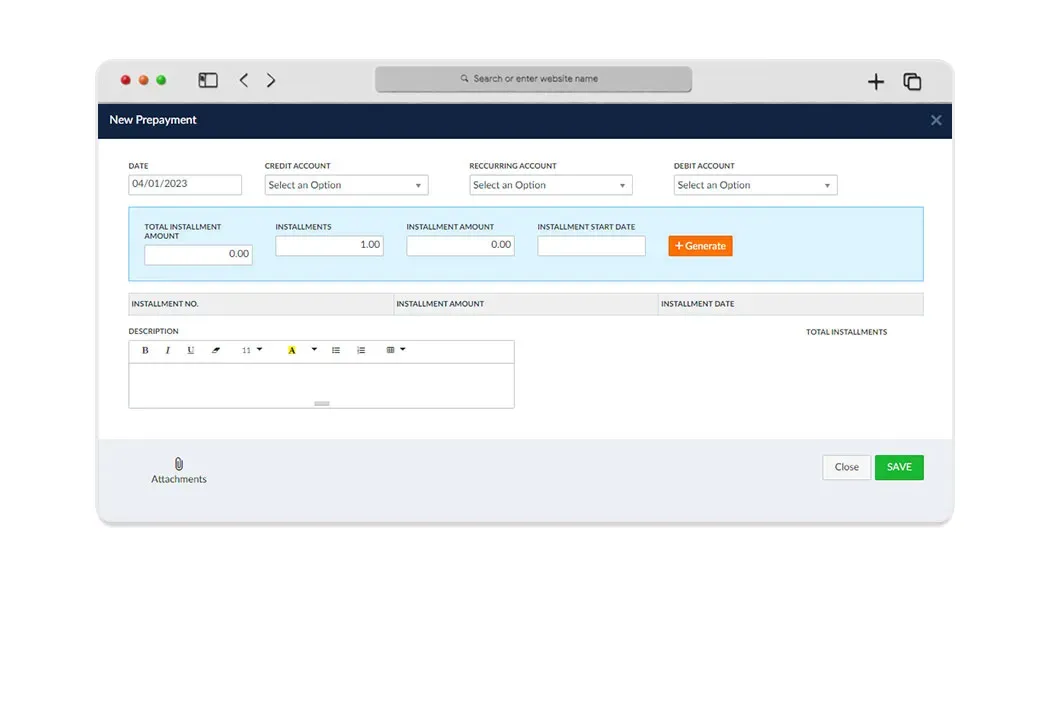
PrePayments
Prepayments are amounts paid in advance for goods and services and comprise both Expense and Asset components. It is important to know when and how to reflect prepayments in the Profit & Loss statement.
- Track prepayments for goods and services
- Automatic amortization scheduling
- Proper reflection in P&L statements
- Support for both expense and asset prepayments
- Automated journal entries for prepayment recognition
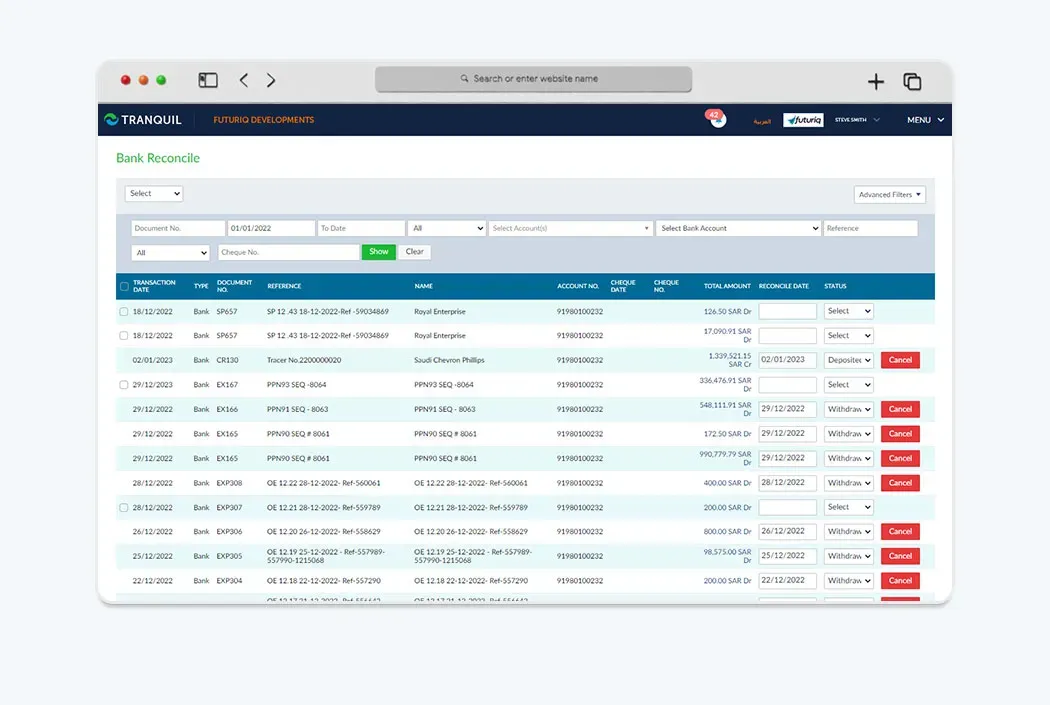
BankReconciliation
Bank Reconciliation matches the balances in a company's accounting records with the corresponding bank statement. Its purpose is to detect any and all discrepancies.
- Match accounting records with bank statements
- Detect discrepancies automatically
- Support for multiple bank accounts
- Import bank statements in various formats
- Reconciliation history and audit trail
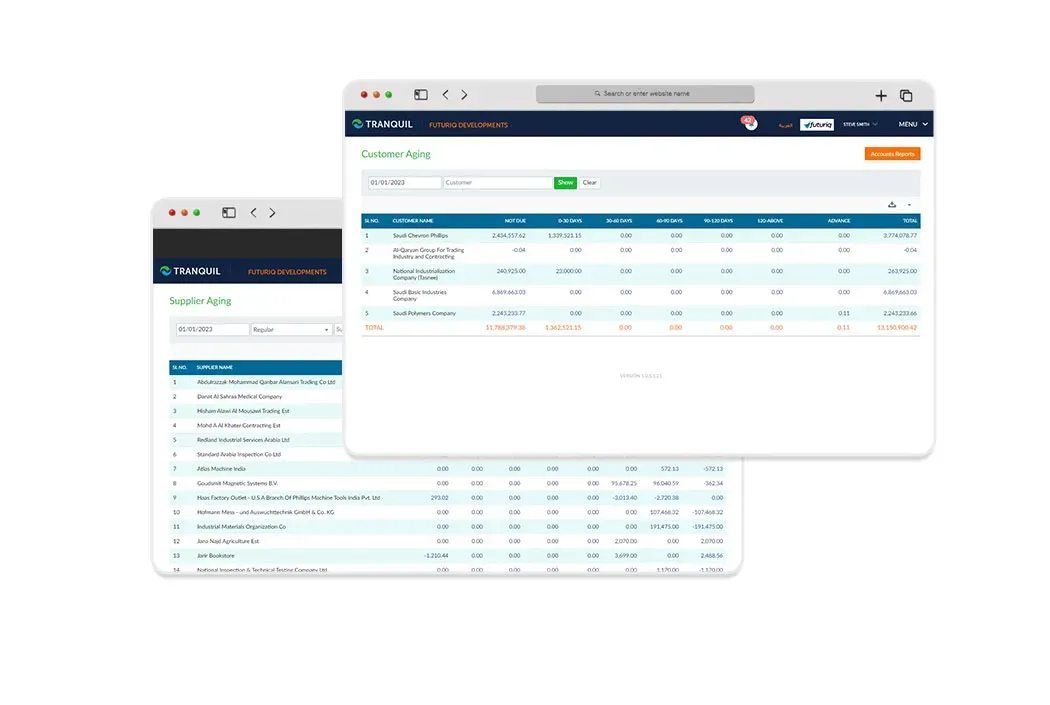
A/R& A/P Aging
In accounting the term aging is often associated with how much money is coming into your business and what is owed. Tranquil routinely prepares aging of accounts receivable to minimize cash flow problems and potential losses.
- Accounts receivable aging reports
- Accounts payable aging reports
- Minimize cash flow problems
- Configurable aging periods (30/60/90/120 days)
- Customer and supplier payment trend analysis
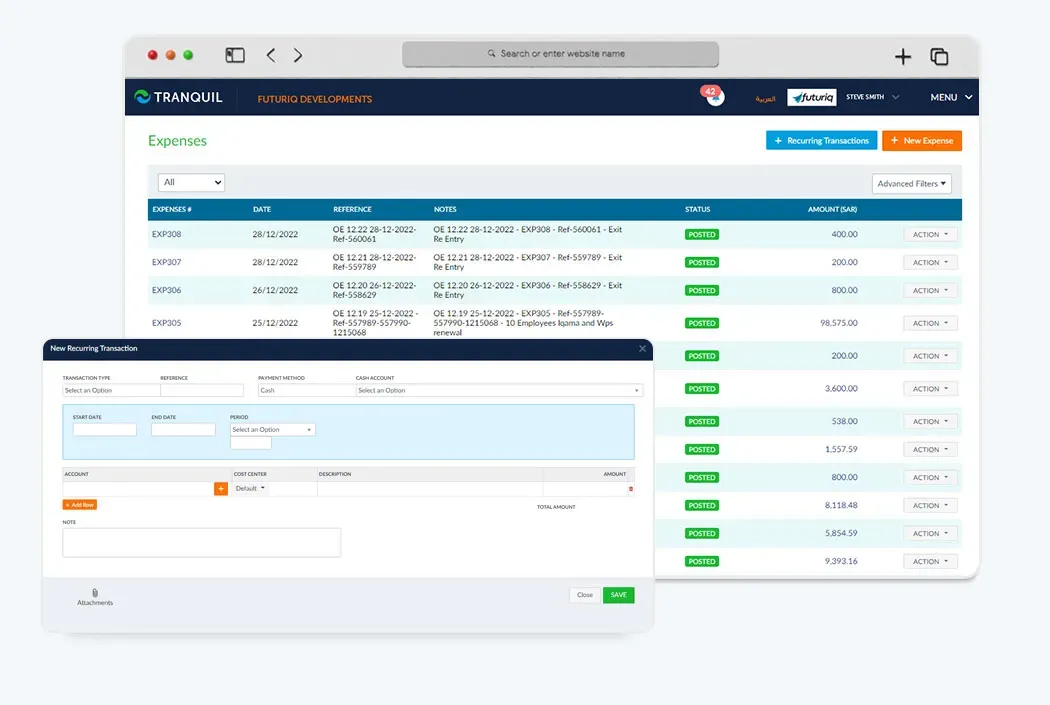
RecurringPayables & Receivables
If you have expenses and receipts with regular billing such as monthly charges, amortization, pre-paid expenses, rent payments etc., you don't have to enter the same information every time.
- Automate recurring transactions
- Set frequency: monthly, quarterly, annually
- No re-entry of the same information
- Automatic journal creation on schedule
- Support for rent, amortization, and pre-paid expenses
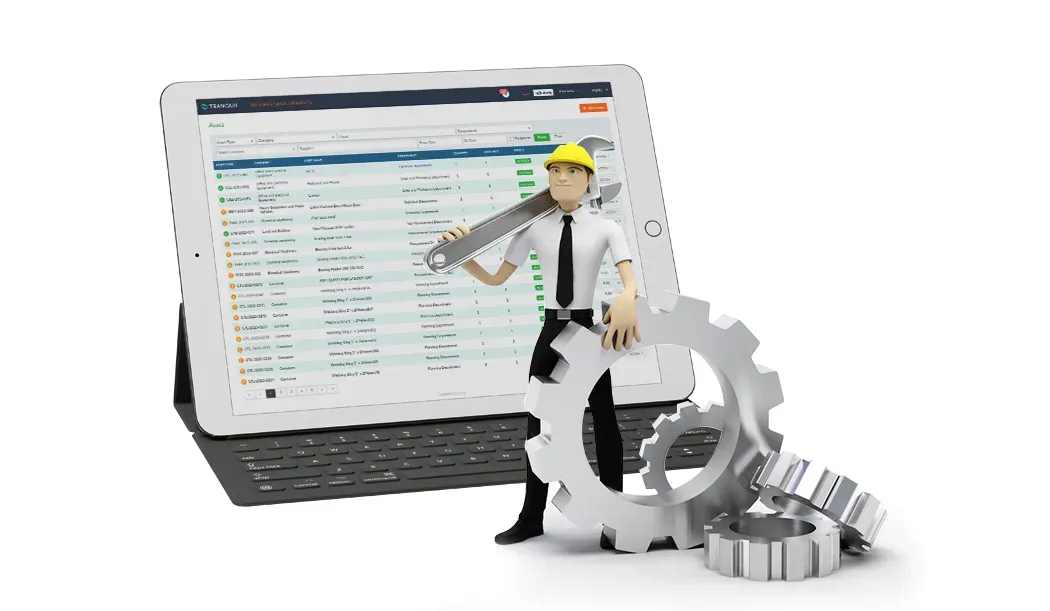
AssetManagement Overview
Tranquil Asset Management Software allows you to focus on your core business operations while you maintain control of your assets from computers to heavy industrial machinery. Automate maintenance, handle depreciation, prevent loss and damage, and ensure optimal operational performance of assets.
- Tracking supports review of asset records
- Consolidated data with no sifting through volumes
- Detailed info: manuals, warranties, maintenance history
- Saves time and effort for your employees
- Share asset info across departments
- Alerts for scheduled maintenance and inspection
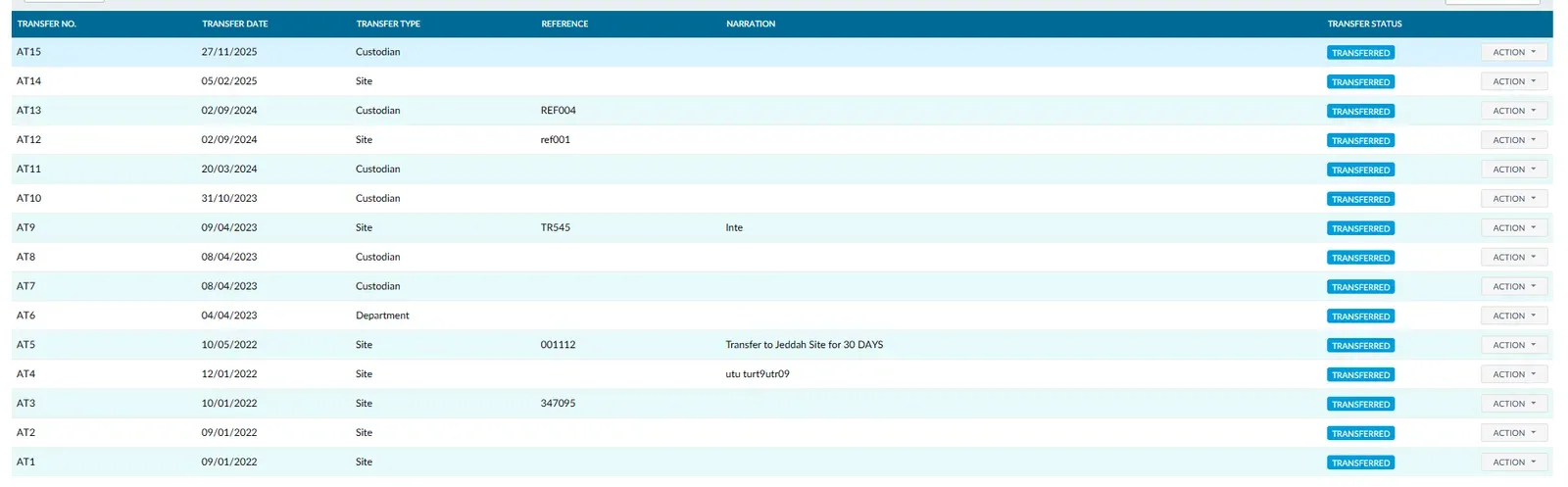
AssetTransfer
Assets like industrial equipment often need to be transferred within the organization. Tranquil lets you track your asset as you transfer it to a different site, department, or custodian.
- Transfer assets between sites directly
- Move equipment between departments
- Change custodian with full tracking
- Complete transfer history and audit trail
- Approval workflows for asset transfers
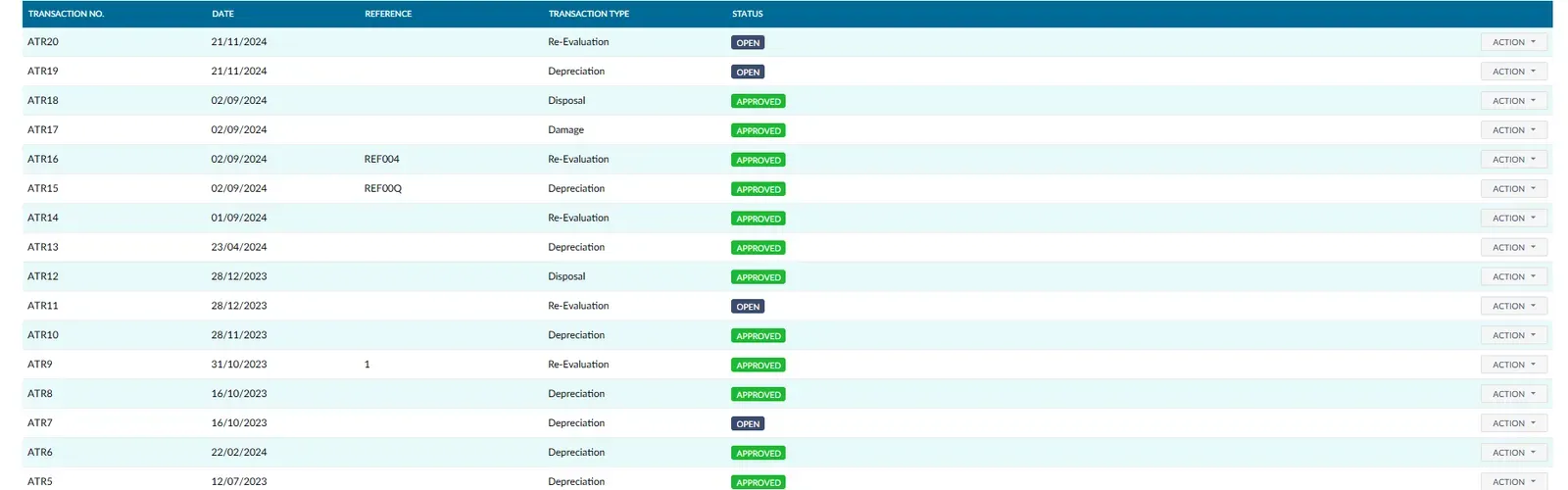
AssetTransactions
Tranquil asset management solution helps you monitor the asset throughout its lifecycle, from purchase to disposal and everything in between.
- Purchase: Record details of newly purchased assets
- Damage: Note down details of damaged assets
- Disposal: Track assets sold or retired
- Depreciation: Automatically calculate depreciation
- Re-Evaluation: Update asset values
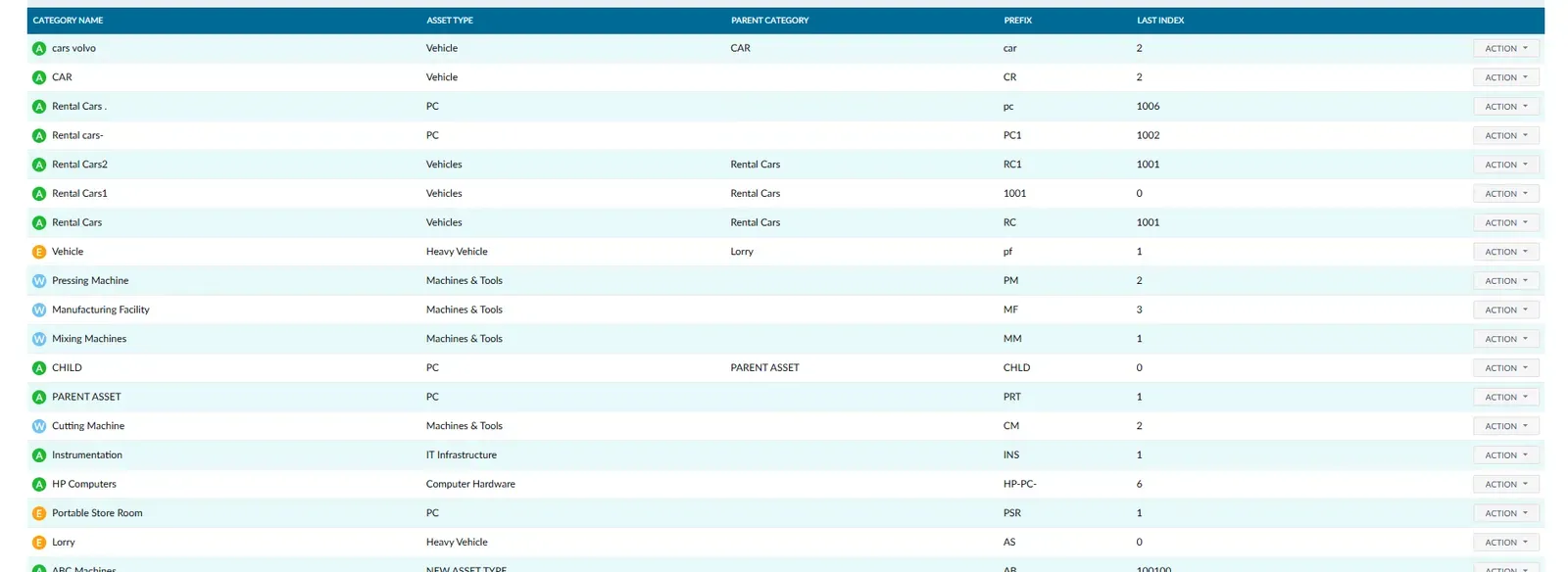
AssetCategory
Assets represent ownership, have economic value, and help generate revenue for the business. Fixed assets are of two broad categories, tangible and intangible.
- Tangible: office equipment, machinery, furniture, vehicles
- Intangible: goodwill, patents, licenses, trademarks
- Custom categories for your business needs
- Category-based depreciation rules
- Reporting by asset category
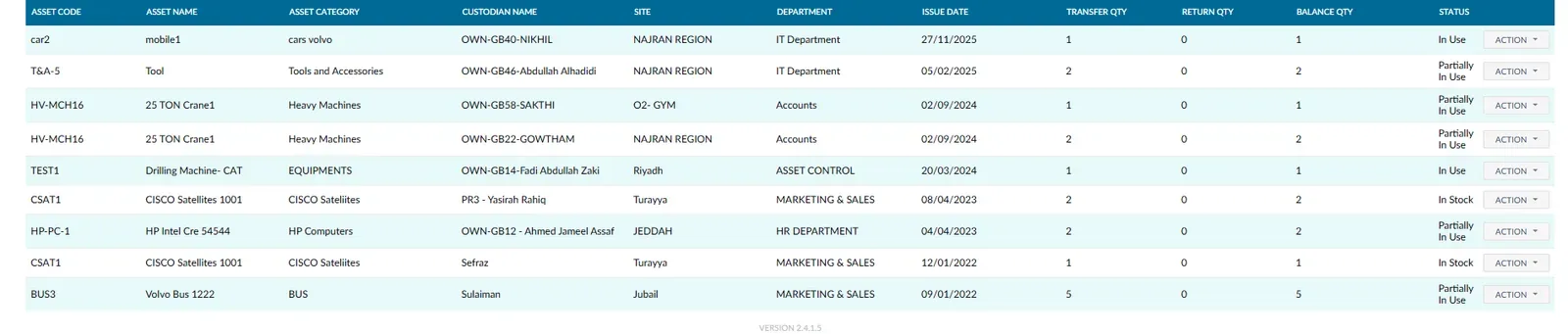
AssetStatus
Track the status of your assets and ensure they are serviced at appropriate times to increase their operational efficiency and extend their lifecycle.
- Avoid sudden breakdowns and expensive repairs
- Ensure continuous production and smooth workflows
- Maintain detailed maintenance and repair records
- Configurable alerts for scheduled servicing
- Asset lifecycle tracking from purchase to retirement
What does the software do?
Tranquil brings accounts, journals, balances, tax and reconciliation together. Existing features below define its scope.
How does the workflow work?
Start with the chart of accounts and opening balances. Record documents, review journals before posting, reconcile bank statements and examine aging, tax and cost centres before closing.
Who is it for?
For trading, distribution, contracting and manufacturing. Define accounts around your business.
Using the software in Saudi Arabia
SAR, multiple currencies, VAT and ZATCA e-invoicing are supported. Confirm invoice scope and company settings with the team; generating a report does not replace an accountant’s review.
Connecting Tranquil modules
Accounting connects with sales, purchasing, inventory and assets. Review project and payroll cost allocation according to selected modules, tracing a document to its financial effect.
Request a Free Quote
We would be happy to show you our software and help you determine if Tranquil ERP is right for your business.
Contact UsFrequently Asked Questions
Does it support VAT?
Yes. Tax calculations and reports are included. Review rates and transaction classification before approval.
Is ZATCA e-invoicing supported?
Yes. Tranquil includes e-invoicing. The team reviews applicable requirements and connection settings during implementation.
Can I import a chart of accounts?
Yes. Importing a previous chart is supported. Review classification and balances before entering transactions.
Is bank reconciliation available?
Yes. Match accounting records with bank statements and review differences.
Can I separate project costs?
Cost centres allocate expenses to projects, departments or branches. Define the structure during setup.
Are multiple currencies supported?
Yes. Currencies and exchange rates are supported. Review their use in your transactions with the team.