
Cloud Inventory Management Software
Manage inventory across your warehouses, retail stores, and online channels from a single platform with batch tracking, multi-UoM, and low-stock alerts. Avoid product outages and lost sales with full visibility into real-time stock movement, transfers, and adjustments.
Schedule A DemoImprove customer service and profitability with real-time access to available inventory, inventory in transit, and inventory costs with an inventory management software from Tranquil.
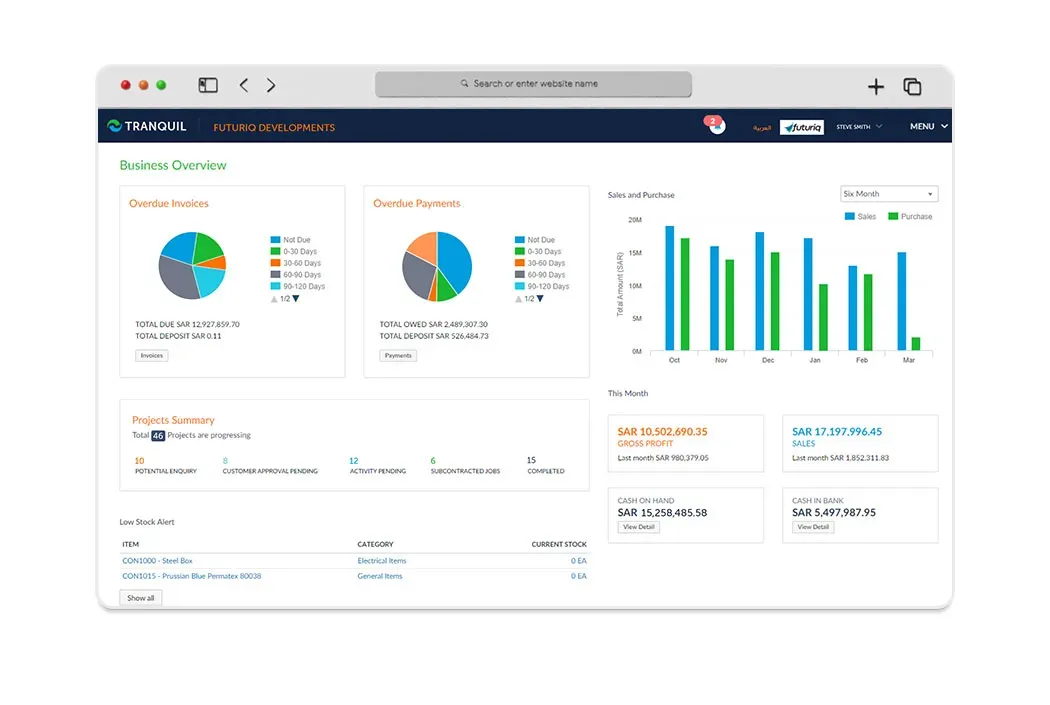
Centralized Inventory
When you can have the best inventory management software for your warehouses, retail stores and online channels all from a single platform, why go for multiple software?
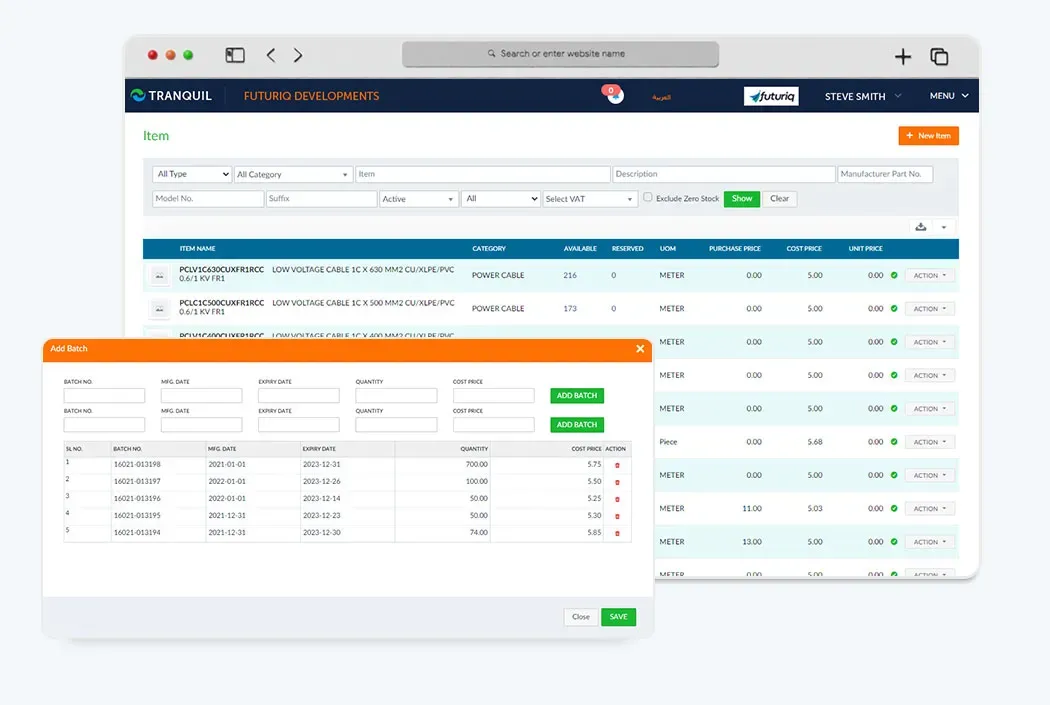
Batch Track
Improve product trace-ability by providing batches to products and keep track of their movements in Goods receive note, sales orders, sales invoice.
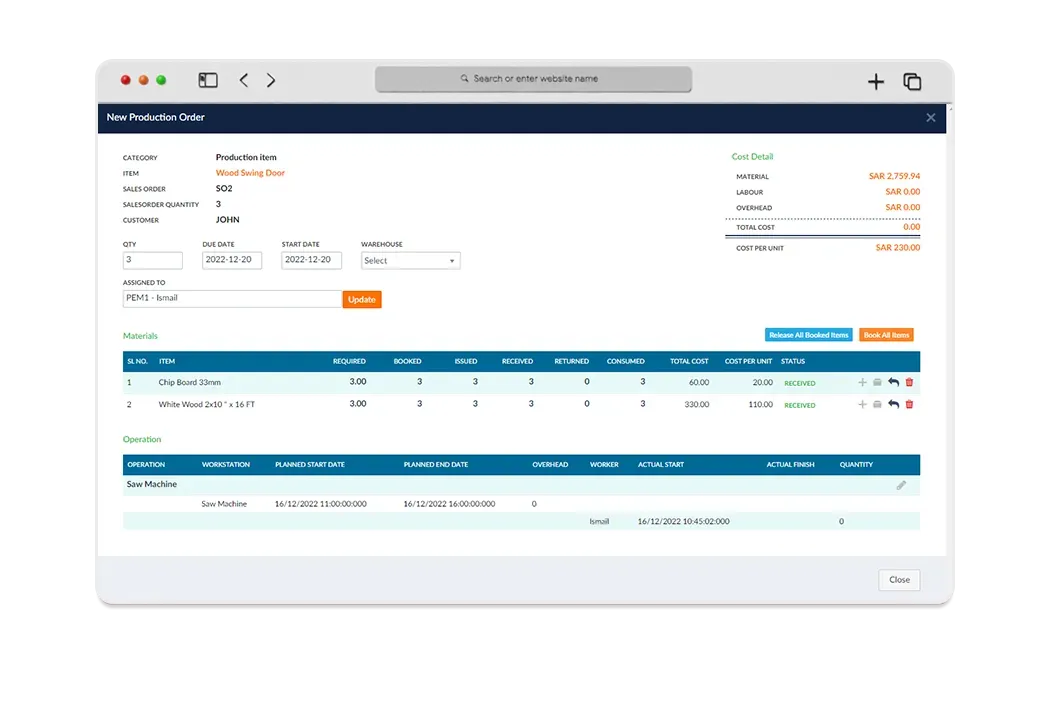
Pre Build
Pre-builds can combine materials and labour, materials only, or labour only as a single billable item to appear on jobs, quotes and invoices.
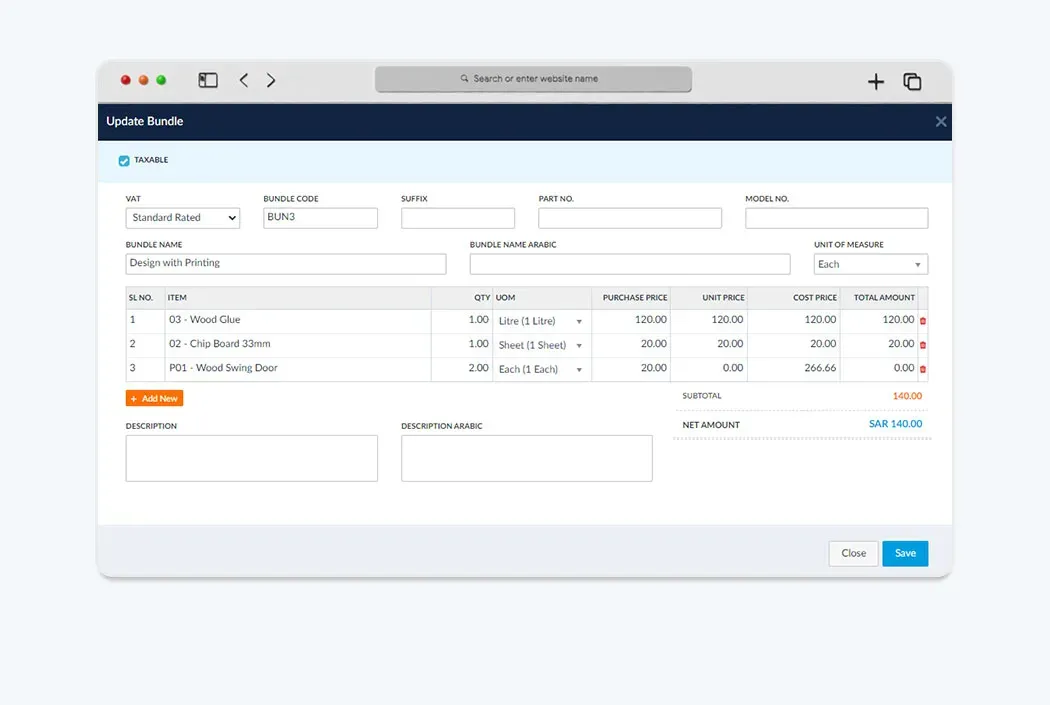
Bundling
Increase your sales by offering more product combinations to sell using the bundling feature.
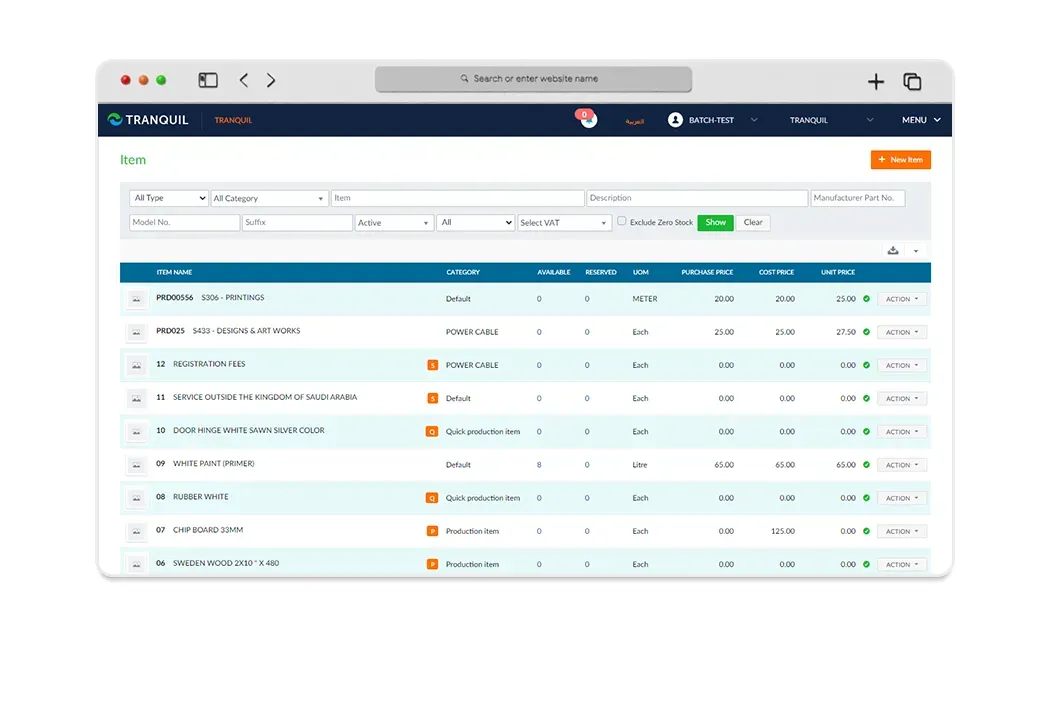
Service Item
A service item is one that's not a tangible product, It helps you to track the services you provide such as maintenance, training, repair charges.
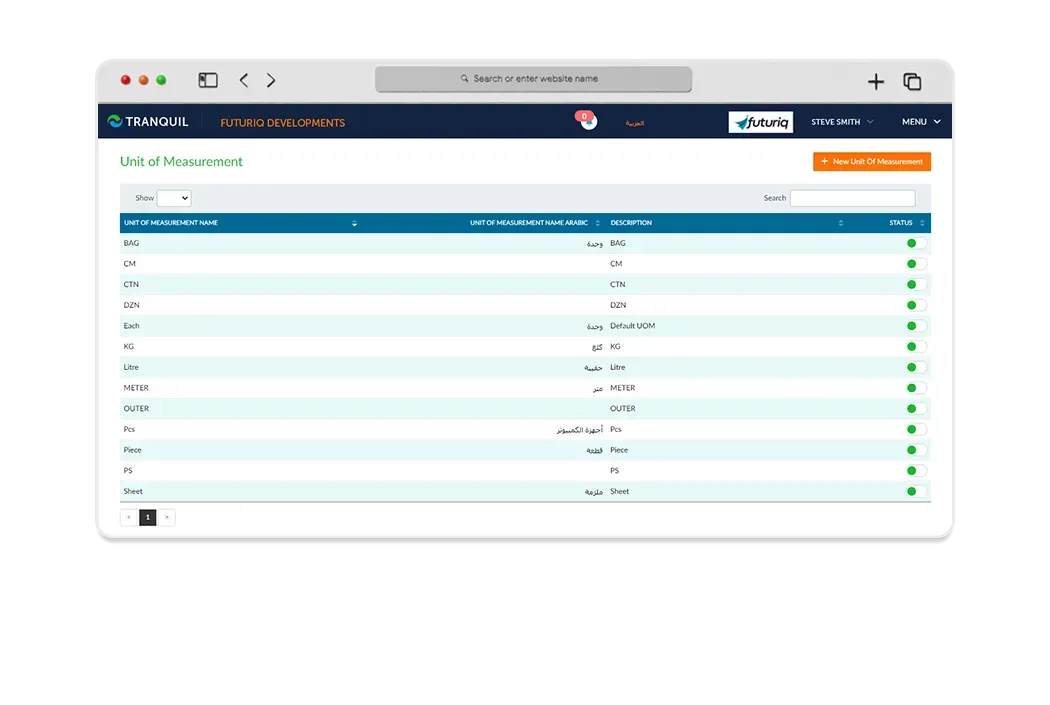
Multi UoM
Where units of measurement are concerned, Tranquil Online inventory management system comes with limitless options. From hours to boxes or kilograms.
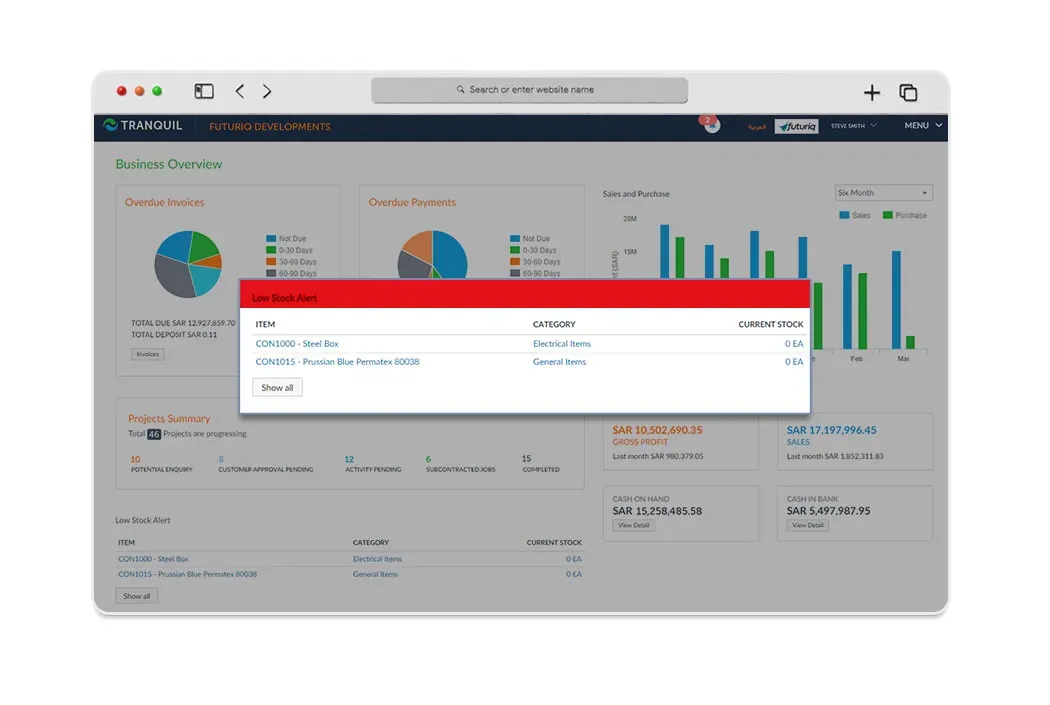
Stock Alert
You can now set up minimum Low Stock Level Alerts and sleep without worrying about Out of Stock orders.
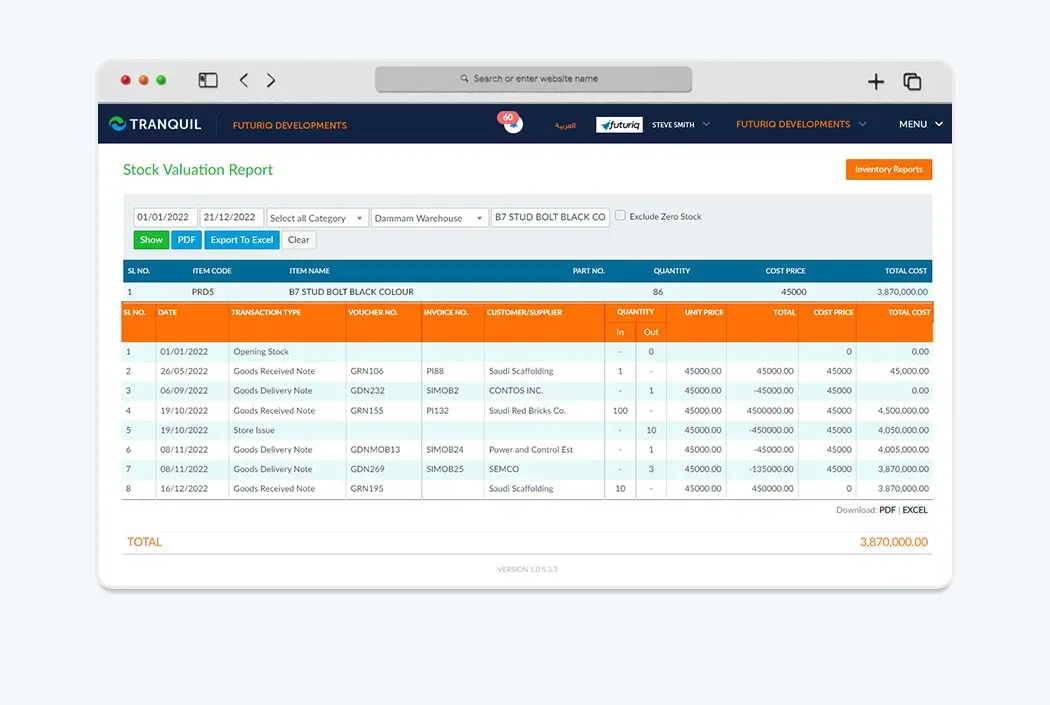
Precise Stock
Avoid product outages and lost sales. Track your inventory, orders, sales and deliveries from anywhere, anytime.
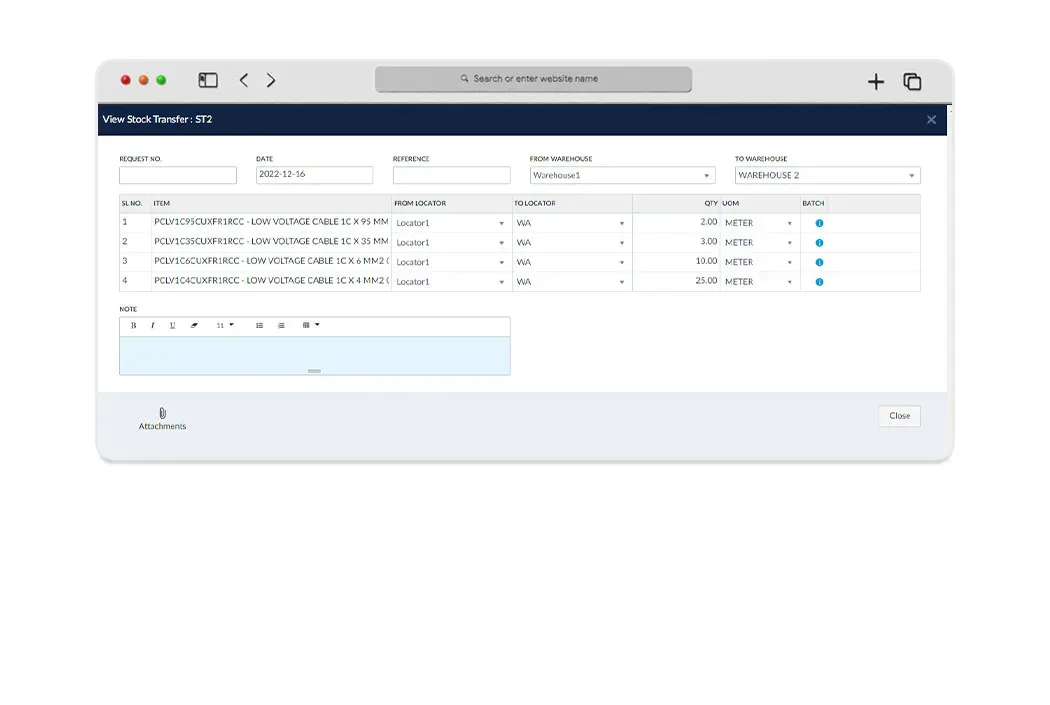
Stock Transfer & Adjustment
Have multiple warehouse/branch? Search for the stock levels at your other locations and easily transfer products from one warehouse to another.
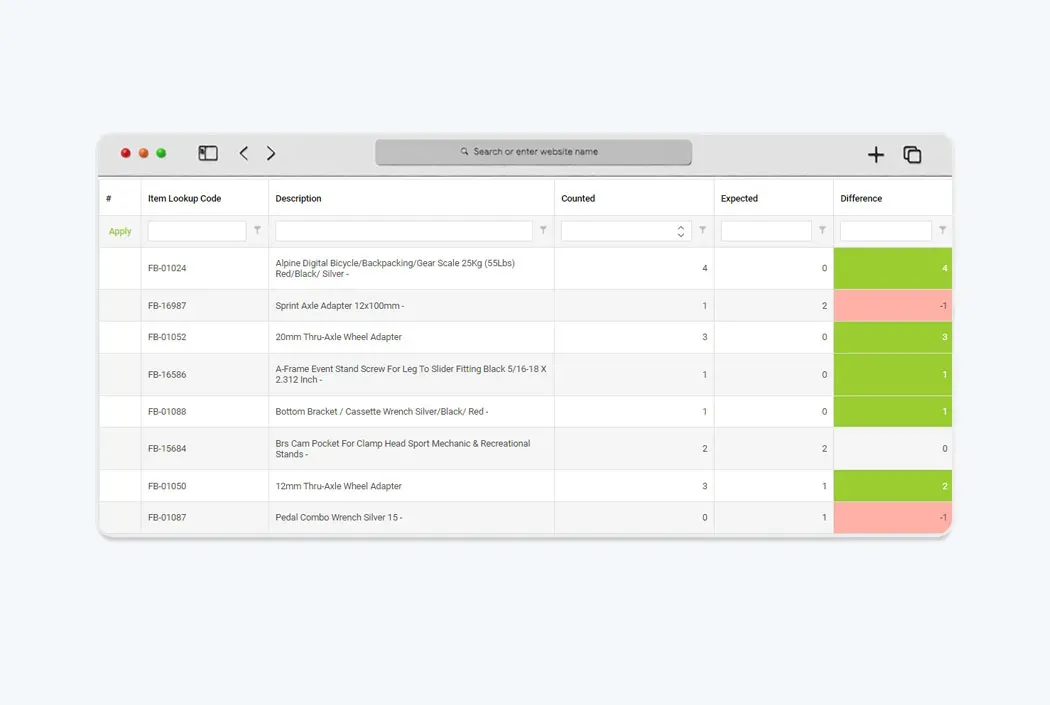
Stock Take
Quickly perform a full or partial stock takes, perform multiple counts simultaneously and merge it to a single file.
What does the software do?
Tranquil cloud inventory management software brings item quantities, receipts, issues and transfers into one platform. Teams can review available stock, inventory in transit and inventory costs instead of relying on separate warehouse spreadsheets. The existing functions include batch tracking, multiple units of measure, minimum-stock alerts, pre-builds, bundles, service items and full or partial stock takes. An item purchased by the box and issued by weight needs a clear unit definition before transactions begin, so its movements remain understandable to buyers, warehouse staff and accountants.
Stock monitoring is more than an overall quantity. Sales needs to know what is available, warehouse staff need movement records, and finance needs the associated cost. Bringing those views together gives departments a shared basis for decisions. Software does not make records accurate by itself: timely receipt and issue entries, controlled adjustments and reconciliation of physical counts remain essential operating responsibilities.
How does the workflow work?
Start by defining items, units, warehouses and reviewed opening balances. Record purchase receipts with quantities and batch details where relevant, then check their effect on stock. Record sales issues or material usage against the appropriate document so the change has a traceable source. When goods move to another branch, use a transfer rather than independently changing both location balances.
During daily review, examine minimum-stock alerts and compare requirements with availability before making a purchasing decision. For an inventory count, choose the scope: a whole warehouse, selected items or a partial stock take. Review count results and differences before recording an adjustment. This sequence makes inventory control a reviewable workflow, not a replacement for your receiving, handover and approval procedures.
Who is it for?
Trading teams can check item availability before confirming orders. Distributors need branch inventory management when goods are shared across locations. Contractors need material records for deliveries and movements to work sites, while manufacturers need consistent material and unit definitions before connecting inventory to production planning. The appropriate modules depend on the actual workflow, not simply the industry label.
For a demo, bring an example of an item sold in different units, a transfer between two warehouses and a count with a discrepancy. Explain what your team does when stock falls below its threshold. These examples let you assess the software against your operations and discuss necessary configuration without relying on undocumented savings or accuracy promises.
Using the software in Saudi Arabia
Tranquil supports Arabic and English working environments. Inventory can connect with accounting for financial transactions in SAR and VAT according to company settings. ZATCA e-invoicing belongs to the invoicing workflow, not to the physical counting function itself, so sales and invoice requirements should be reviewed together when defining implementation scope.
During data preparation, distinguish quantity balances from financial value and review how purchase and sales items use their units. Agree who records movements and reviews discrepancies in each branch. A bilingual interface does not replace clean item data or a clear policy for transfers and adjustments.
Connecting Tranquil modules
Inventory connects to purchasing at goods receipt, warehouse management for transfers and counts, sales orders when goods are issued, and accounting when stock costs and transaction effects are reviewed. Material workflows for projects or manufacturing can be discussed according to the modules in use. The goal is a consistent item definition across departments rather than conflicting duplicate records.
Identify which document creates each movement and who reviews it. A minimum-stock alert highlights a requirement; it is not a promise that every shortage will be purchased automatically. Purchasing still needs to review quantities, open requirements and suppliers before issuing an appropriate order.
Request a Free Quote
We would be happy to show you our software and help you determine if Tranquil ERP is right for your business.
Contact UsFrequently Asked Questions
Can I manage stock across branches?
Yes. Review stock across multiple locations and record transfers between them. Define warehouses and reconcile opening balances for each location first.
How does stock monitoring differ from a stock take?
Monitoring follows recorded movements; a stock take compares physical quantities with records. Tranquil supports full and partial counts to review differences.
Can I track product batches?
Yes. Existing features track batches and their movements through goods receipt and sales documents, helping teams identify the batch associated with a transaction.
Are multiple units of measure supported?
Yes. Multiple units are supported. Review item units during setup, particularly when purchasing and issue units differ.
Does the software alert me to low stock?
Minimum-stock alerts can be configured. They support a requirements review; purchasing decisions still depend on demand, budget and company policy.
Does inventory work with purchasing and accounting?
Yes. Tranquil covers receiving, stock, sales and cost workflows. Ask for an end-to-end demonstration using your items to confirm the required modules and settings.