
Project Management and Cost Tracking Software
Manage the full project lifecycle, from enquiry and site inspection, through estimation and proposals, to execution and change management. All in one platform. Track your teams and resources in real time, and know where every project stands without a single phone call.
Schedule A Demo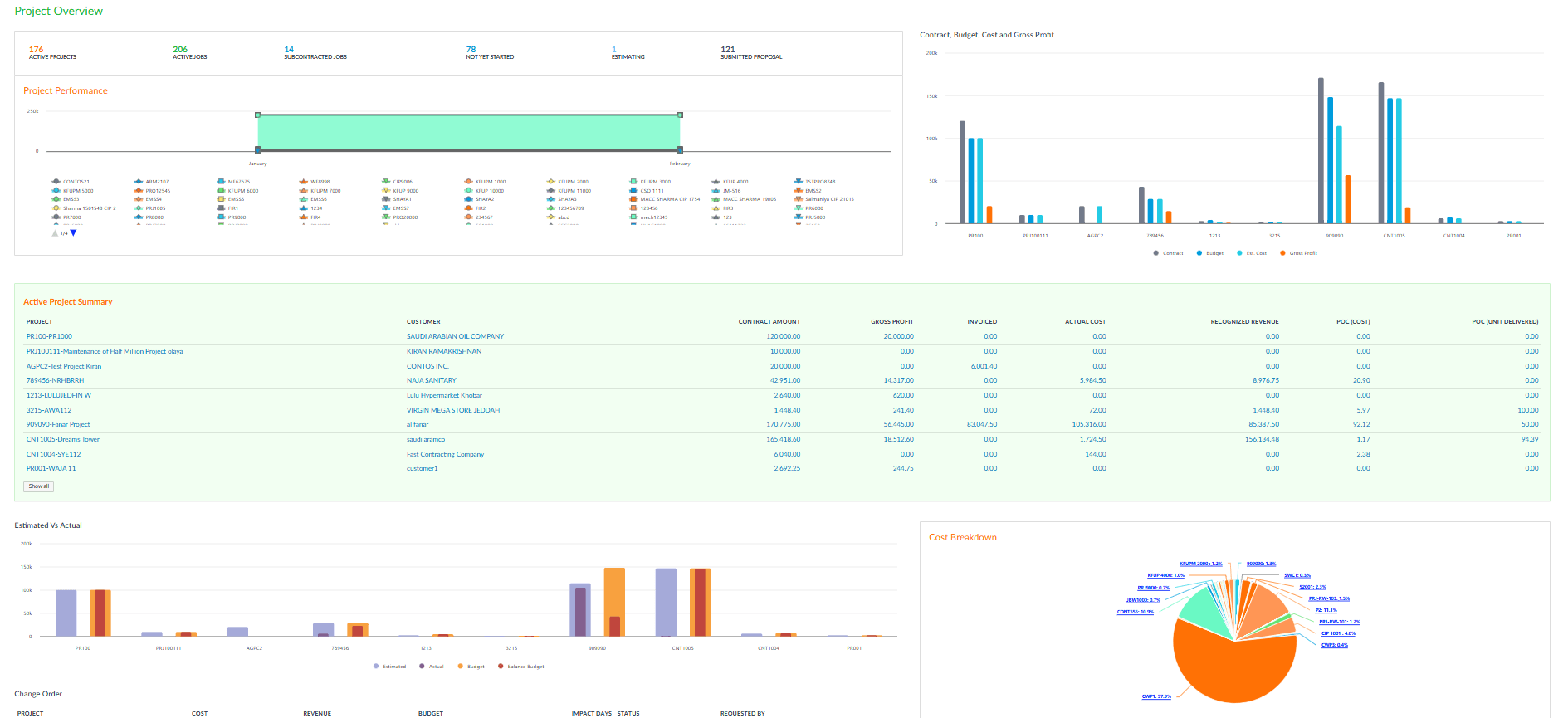
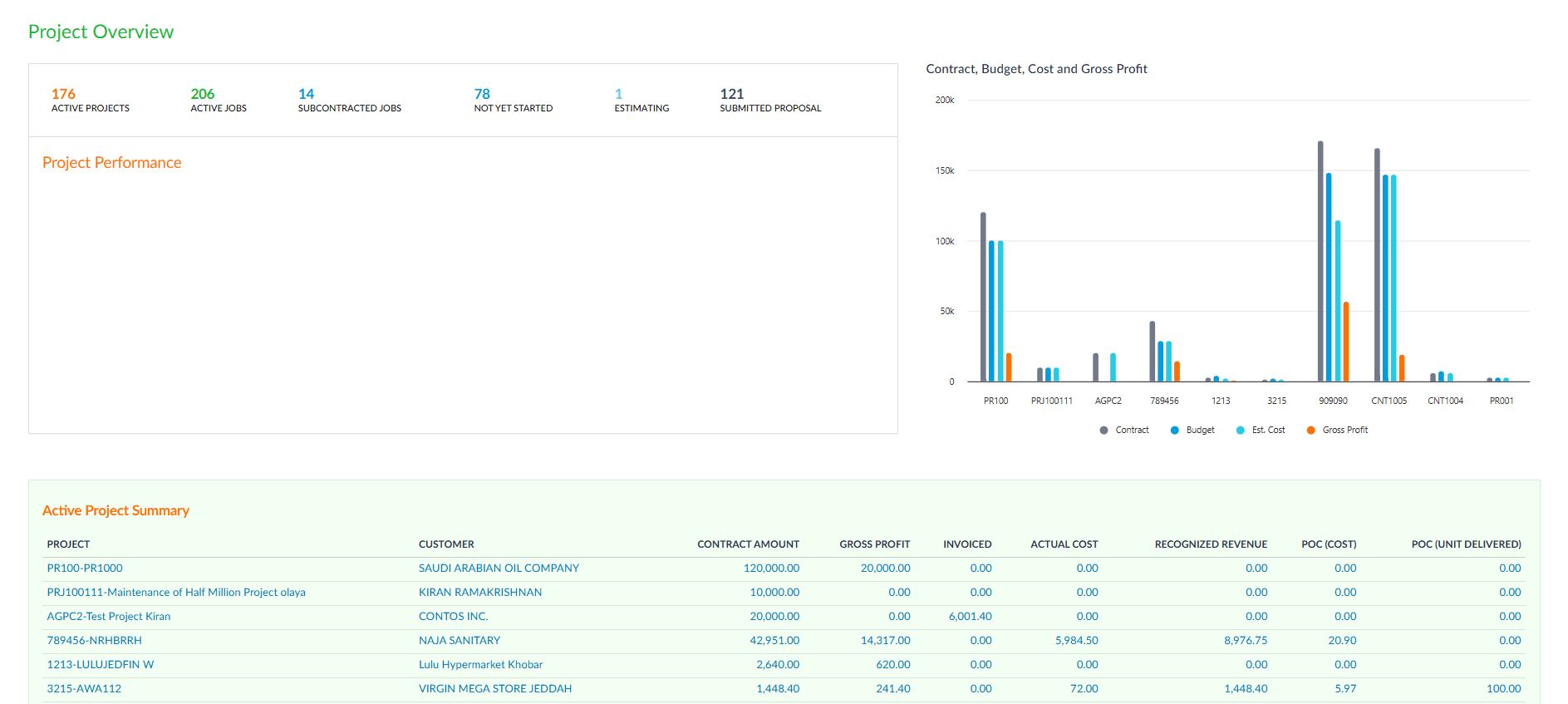
Project Dashboard
One screen tells you everything. Active projects, pending jobs, total costs, revenue collected, and profit margins, all updated as your teams work. Instead of chasing spreadsheets or waiting for weekly reports, you open the dashboard and the numbers are already there. Filter by project, client, or date range to drill into what matters.
- Live overview of all active projects and their status
- Total costs, revenue, and profit margins at a glance
- Filter by project, client, branch, or date range
- Pending jobs and overdue tasks highlighted automatically
- Drill-down from summary to individual project details
Project Enquiry
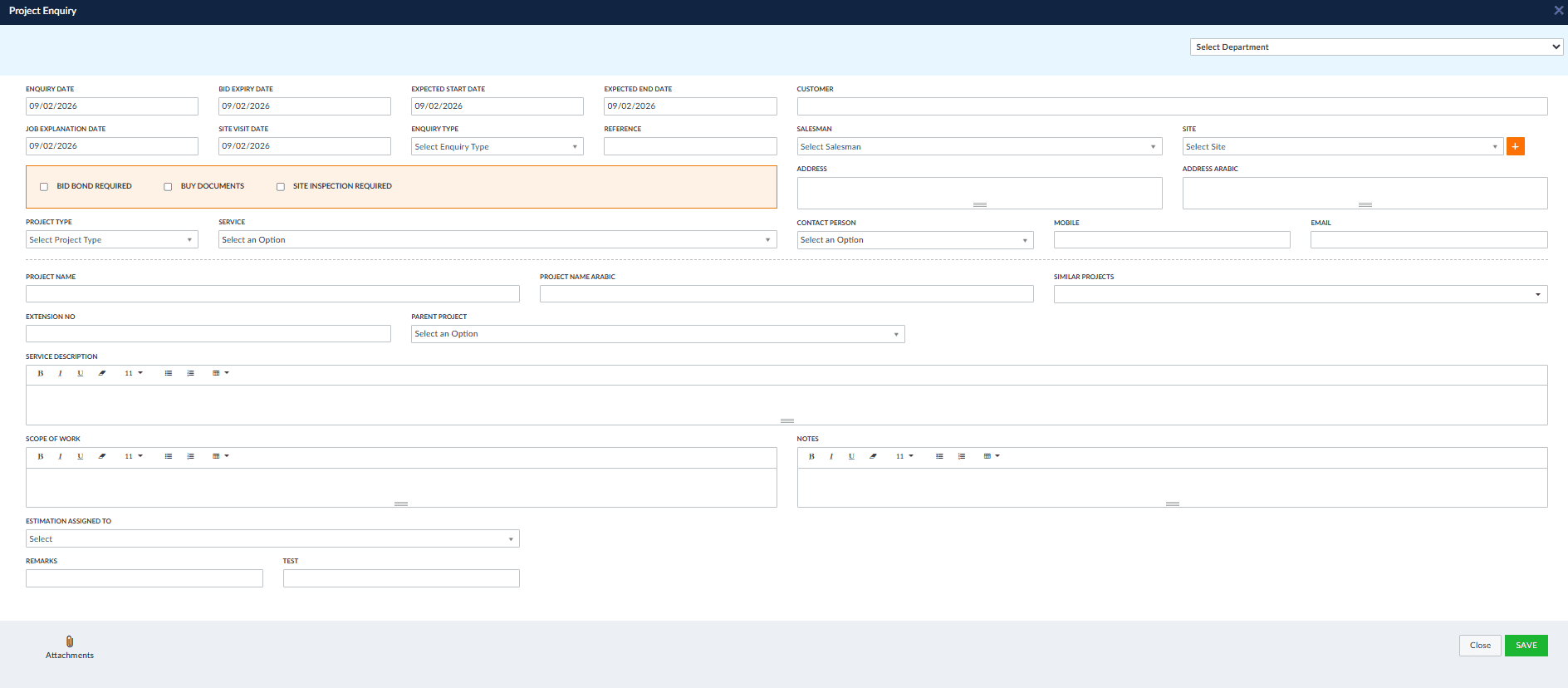
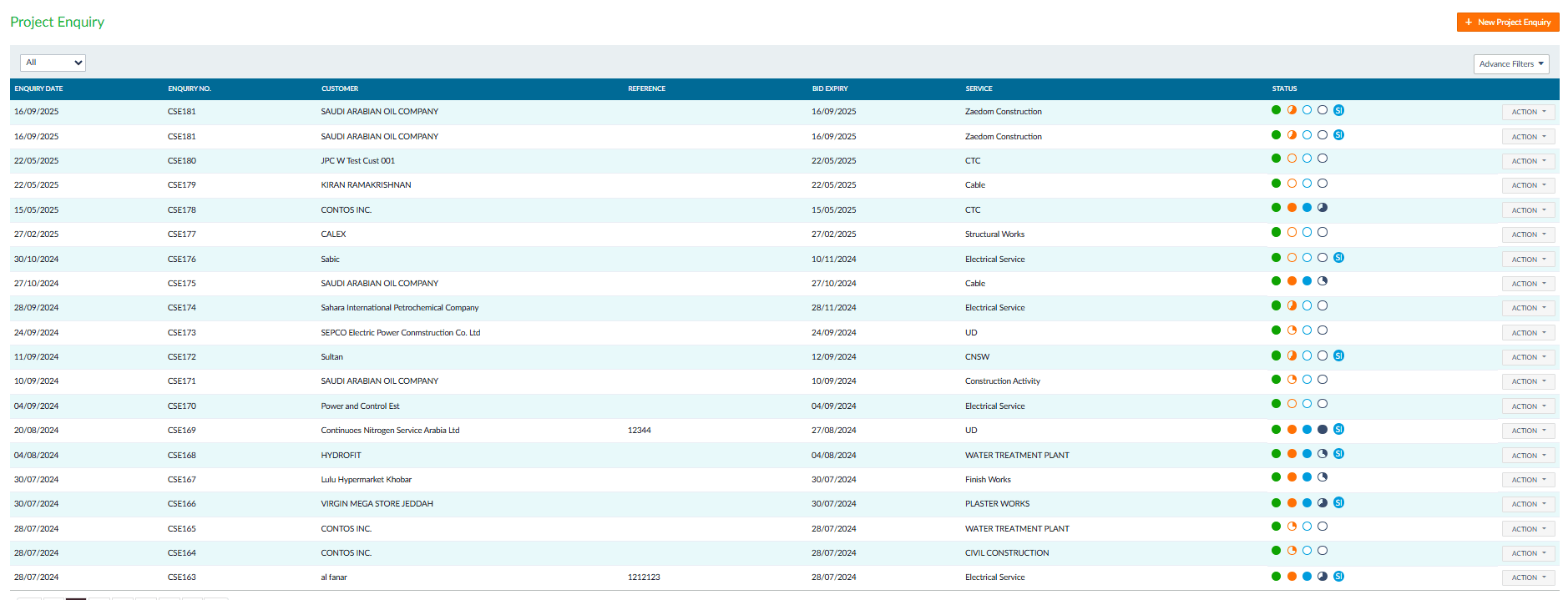
Every project starts with a conversation. The Enquiry screen captures everything you need from day one: customer details, scope of work, site information, bid requirements, and expected timelines. No more scattered emails or lost notes. When a new opportunity comes in, your team logs it once, and the system carries that information through every stage that follows.
- Capture customer details, scope, and bid requirements in one form
- Attach site documents, drawings, and specifications
- Track enquiry status: new, under review, approved, or declined
- Link enquiries directly to site inspections and estimations
- Full history of communications and follow-ups per enquiry
Site Inspection
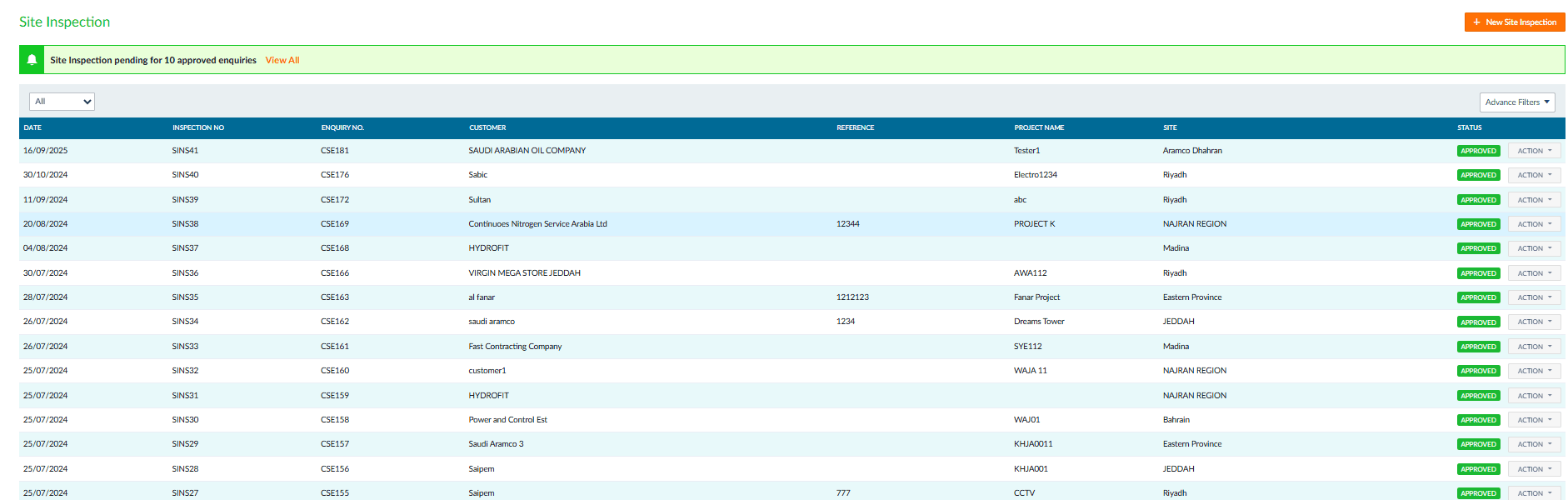
Before you commit to a project, you need eyes on the ground. Schedule site inspections directly from approved enquiries, assign your team, and record findings on the spot. Each inspection links back to its enquiry, so nothing falls through the cracks between the office and the field. Inspectors log observations, take measurements, and flag potential issues, all feeding back into the estimation process.
- Schedule inspections directly from approved enquiries
- Assign inspectors and track visit status in real time
- Record findings, measurements, and observations on-site
- Flag risks and potential issues before commitment
- Link inspection results to the estimation and proposal stages
Estimation
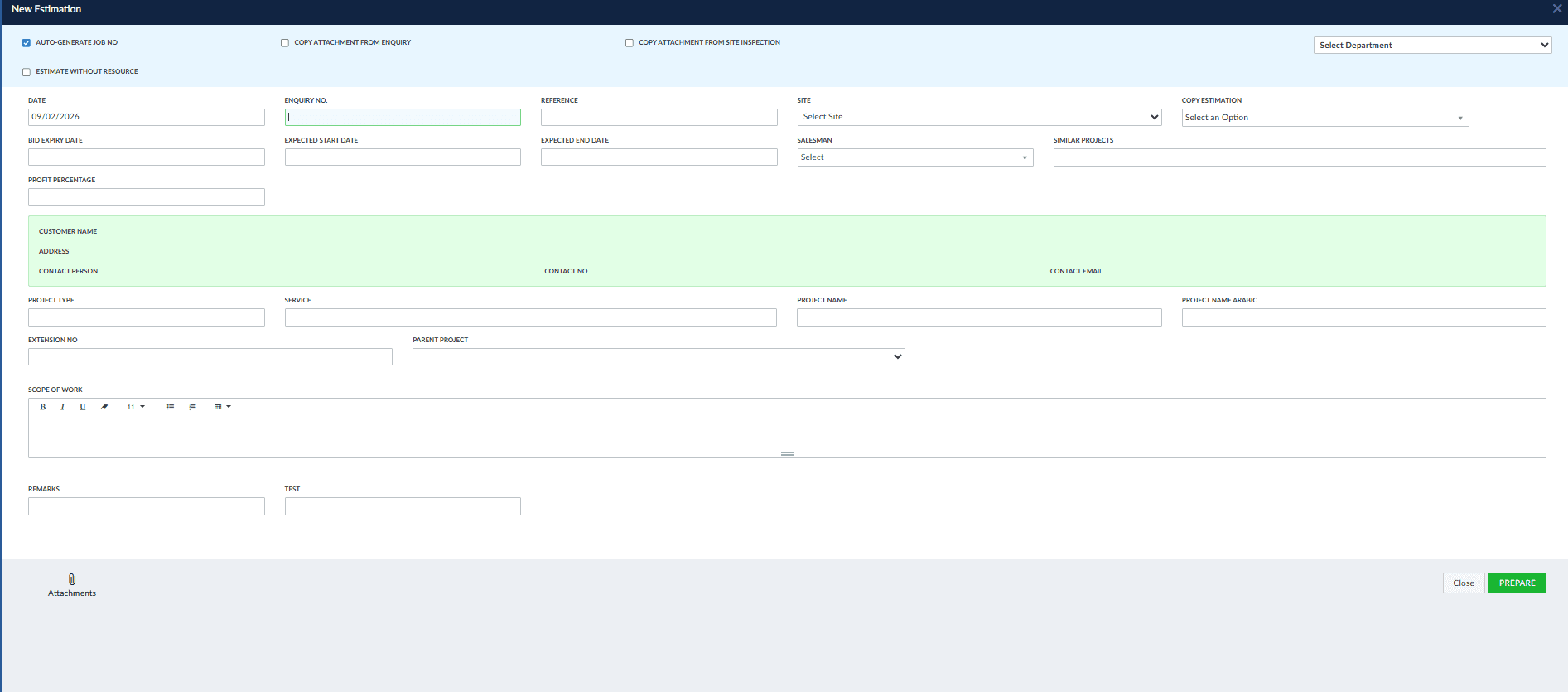
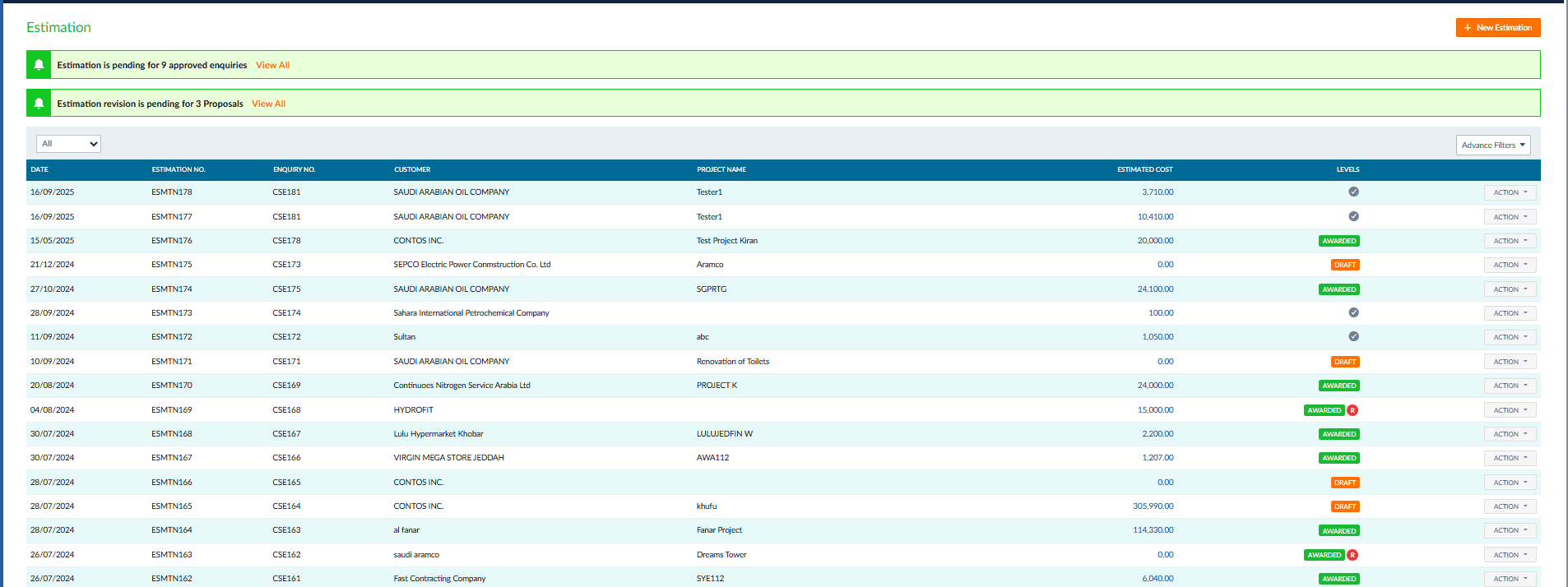
Building an accurate estimate shouldn't take days. Pull in data from similar past projects, factor in current material and labour costs, and generate a detailed breakdown your team can review and refine. The system tracks every estimation (draft, approved, or awarded) so you always know where each opportunity stands. When the client comes back with changes, revise the estimate in minutes, not hours.
- Pull data from similar past projects to speed up estimates
- Factor in current material, labour, and overhead costs
- Generate detailed cost breakdowns by task and phase
- Track estimation status: draft, submitted, approved, awarded
- Revise estimates quickly when client requirements change
Proposal
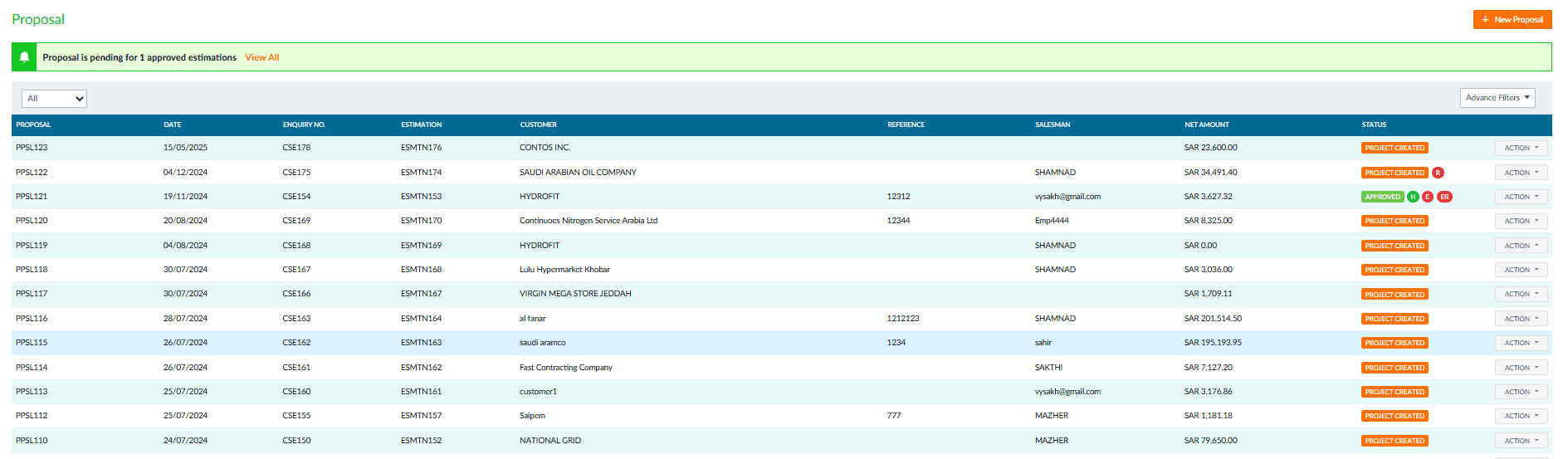
Once the estimate is approved internally, turn it into a formal proposal with payment terms, project milestones, and delivery commitments. The proposal pulls numbers directly from the estimation, no retyping, no copy-paste errors. Track which proposals are pending, accepted, or expired. When the client signs off, the proposal converts into a live project with one click.
- Convert approved estimates into formal proposals instantly
- Include payment terms, milestones, and delivery schedules
- Numbers pulled directly from estimation, no retyping needed
- Track proposal status: pending, accepted, rejected, expired
- One-click conversion from accepted proposal to live project
Job & Subcontracting
Break your project into jobs and assign them to your own crews or subcontractors. Each job tracks its own costs, materials, labour hours, and completion status. For subcontracted work, manage agreements, track deliverables, and match invoices against completed work. You always know who's doing what, how much it's costing, and whether they're on schedule.
- Break projects into jobs and assign to crews or subcontractors
- Track costs, materials, and labour hours per job independently
- Manage subcontractor agreements and payment milestones
- Match subcontractor invoices against completed deliverables
- Monitor job completion status and schedule compliance
Activity Tracking
Your project managers shouldn't have to call the site every hour to know what's happening. The Activity Tracking screen logs daily work: what was done, by whom, and how long it took. Field teams update progress as they go, and office staff see it reflected immediately. When something stalls, you catch it the same day, not next week.
- Daily work logs: what was done, by whom, and duration
- Field teams update progress in real time from site
- Office staff see updates reflected immediately
- Catch delays and stalls the same day they happen
- Attach photos and notes to daily activity entries
Resource Requests
When a site needs more labour, equipment, or materials, the request goes through the system, not through a phone call that gets forgotten. Site managers submit resource requests, supervisors approve them, and the logistics team fulfils them. You can also transfer workers and equipment between projects when priorities shift, with a full trail of who went where and when.
- Submit labour, equipment, and material requests from site
- Multi-level approval workflow for resource allocation
- Transfer workers and equipment between projects easily
- Full audit trail of resource movements and assignments
- Track fulfilment status of every request in real time
Labour Request
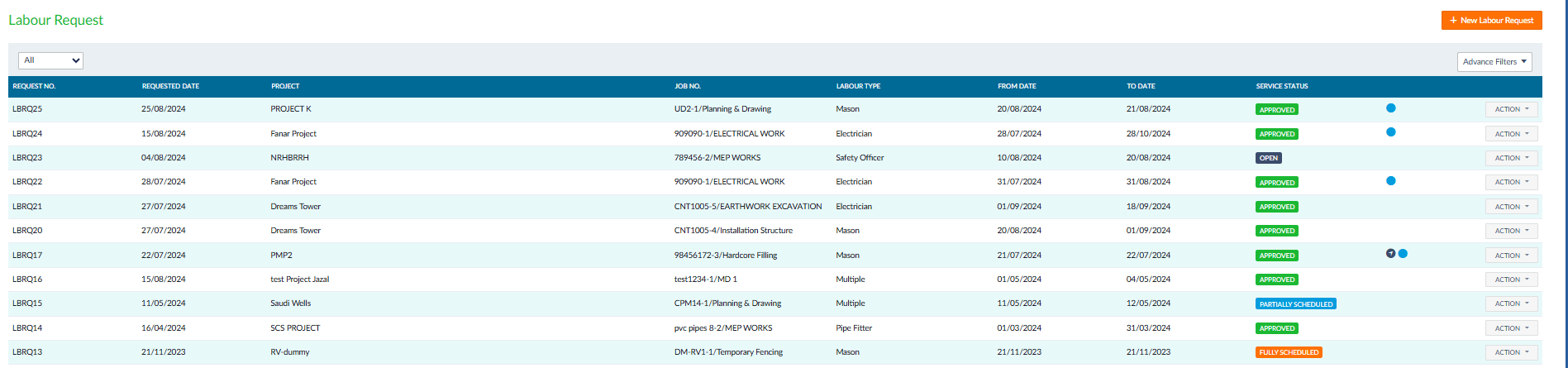
Need a mason on-site by Sunday? An electrician for two weeks? Labour requests let site managers specify the trade, project, job number, and date range, then route it for approval. The list view shows every request at a glance: who asked for what, which project it's for, and whether it's approved, partially scheduled, or fully scheduled. No more WhatsApp messages lost in group chats.
- Specify trade type, project, job, and required date range
- Multi-level approval workflow before scheduling
- Track status: open, approved, partially scheduled, fully scheduled
- Link each request to specific project and job number
- Full list view with filters for fast lookup across all requests
Change Management
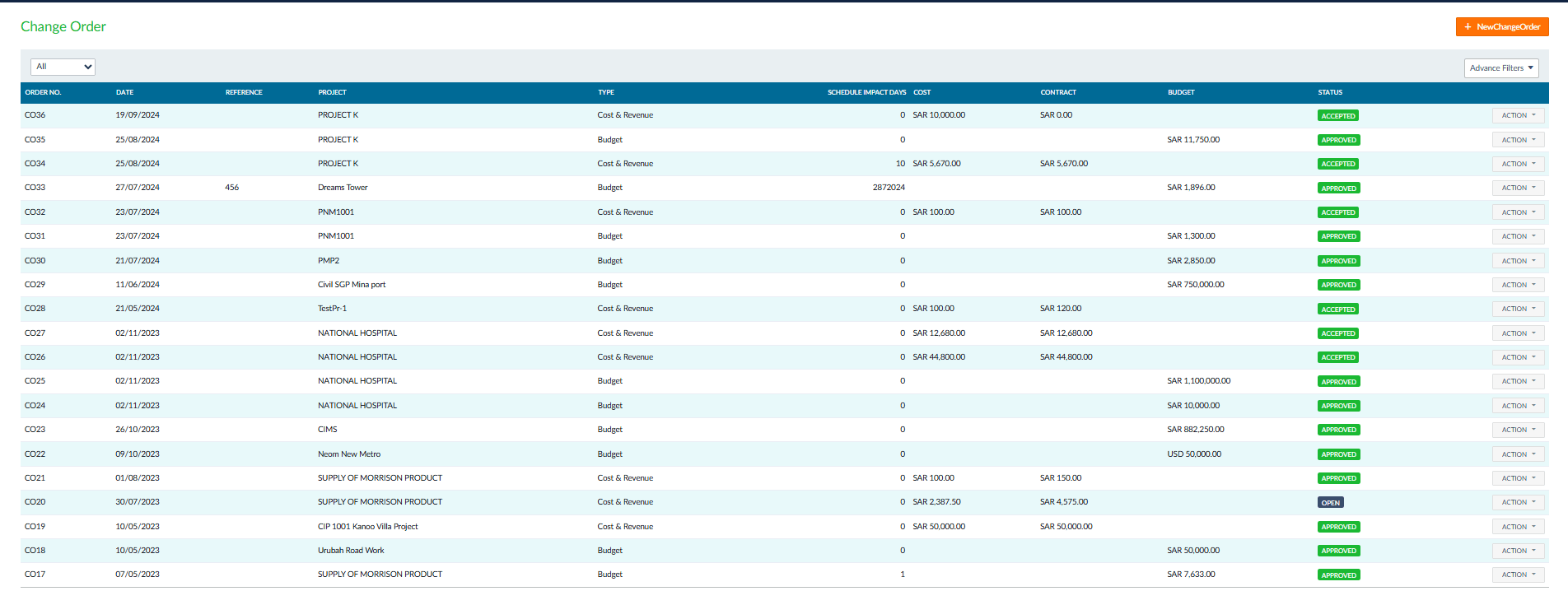
Projects rarely go exactly as planned. When the client asks for changes mid-project, a different material, an added floor, a revised layout, you document it as a Change Request with the scope, affected jobs, and cost impact. Once approved, it becomes a Change Order with a formal reference number, budget adjustment, and schedule impact in days. The Change Order list tracks every modification across all projects: type, cost, contract value, and approval status, so there's never a question about what was agreed.
- Document change requests with scope, affected jobs, and cost impact
- Bilingual scope description (English and Arabic) for compliance
- Convert approved change requests into formal change orders
- Track schedule impact in days and net change amount per order
- Full change order register with type, cost, contract, and status tracking
Software scope
Tranquil connects enquiries, estimates and project costs. Existing features below define the scope.
Workflow
Record the enquiry and inspection, approve the estimate, allocate resources, track work and changes, then review costs and invoicing.
Industries
For contracting and project-based trading, distribution or manufacturing. Test a project from your business.
Saudi use
Arabic and English are available. Review SAR, VAT and ZATCA through accounting and invoicing.
Module links
Confirm purchasing, inventory, employee time and accounting links for the selected modules.
Request a Free Quote
We would be happy to show you our software and help you determine if Tranquil ERP is right for your business.
Contact UsFrequently Asked Questions
Are costs tracked?
Yes. Review costs and budget versus actual.
Are changes supported?
Yes. Review scope and cost changes.
Are estimates included?
Yes. Both are included.
Are subcontractors supported?
Yes. Confirm your workflow.
Can I link materials?
Confirm inventory and purchasing links.